 lefteros
LEFTEROS / PERSONAL NOTES
VaultInk: my Obsidian notes on a pocket e-reader
26 October 2026 / Lefteris Iliadis / SomniusX
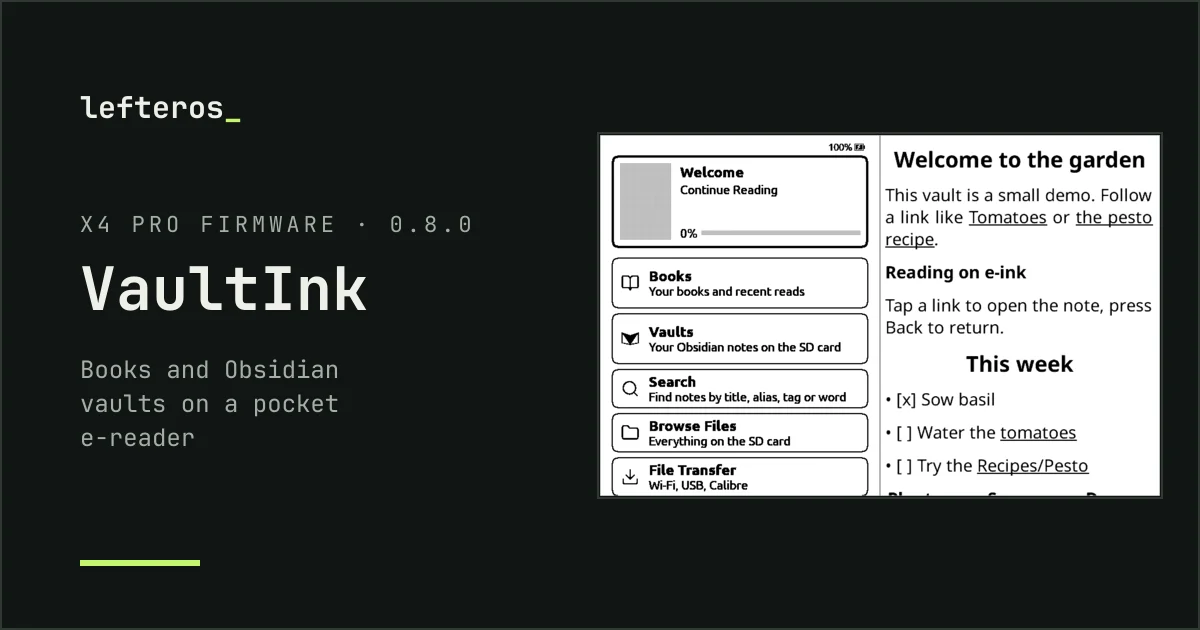
I keep almost everything in Obsidian: notes, plans, tabletop game campaigns. Some of my vaults are big, one is over 35 MB. And for a month now I've been working on the Xteink readers, bringing Greek to CrossInk, then 13 Indic languages and Burmese. At some point the two met: I wanted my notes on that little e-ink screen, in my pocket, at the gaming table and out of the house.
So today I started VaultInk.
What it is
VaultInk is firmware for the Xteink X4 Pro. It keeps everything CrossPoint Reader does for books, and adds your Obsidian vaults: you read your notes like book pages, search them, and tap a [[link]] to jump to the note it points to. It's free and open source (MIT), with no paid extras and nothing locked.
It starts from CrossPoint Reader's own code rather than from CrossInk, because a vault reader needs room: a parser, an index on the SD card and new screens. Greek came along from my CrossInk work from the first hour: Greek menus, monotonic and polytonic Greek in the fonts, and Greek hyphenation.
What works on day one
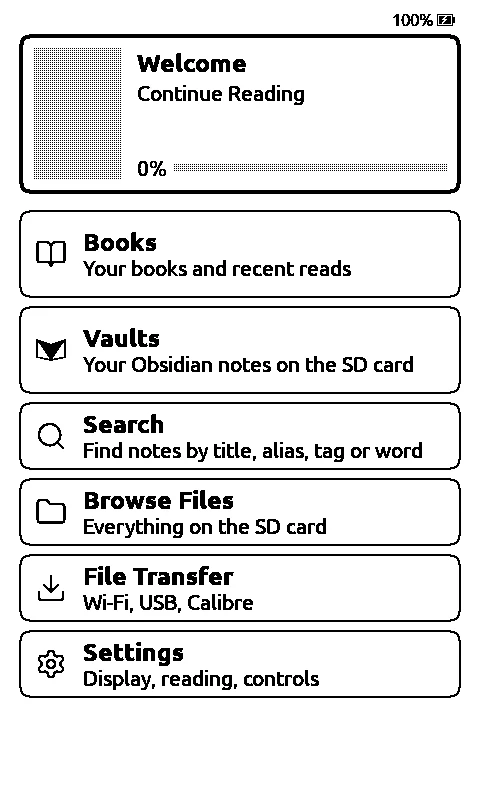

- A new home screen. The book you're reading on top, then Books and Vaults, then the rest, each row saying in one line what's behind it.
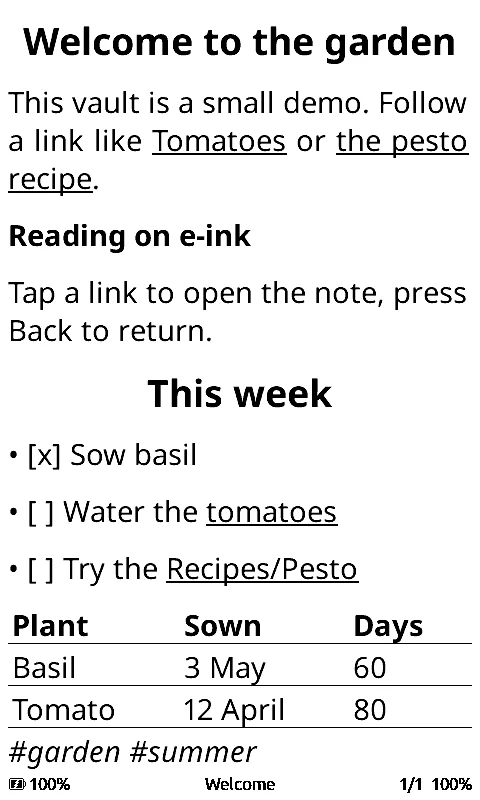
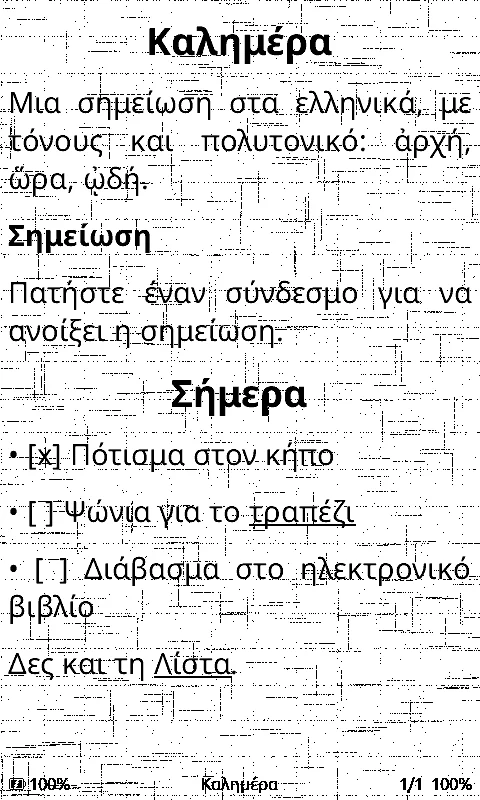
- Notes that read like books. Headings, lists and tasks, callouts, tables, code and images from anywhere in the vault. Links between notes work, and Back returns you to where you were.
- Search across every vault, by title, alias, tag and text. Accents don't matter, so “καλημερα” finds “Καλημέρα”. And since 0.7.0, More → Backlinks shows which notes point to the one you're reading.
- A Greek and English keyboard on the screen, switched with the globe key. Hold a vowel for its accent.
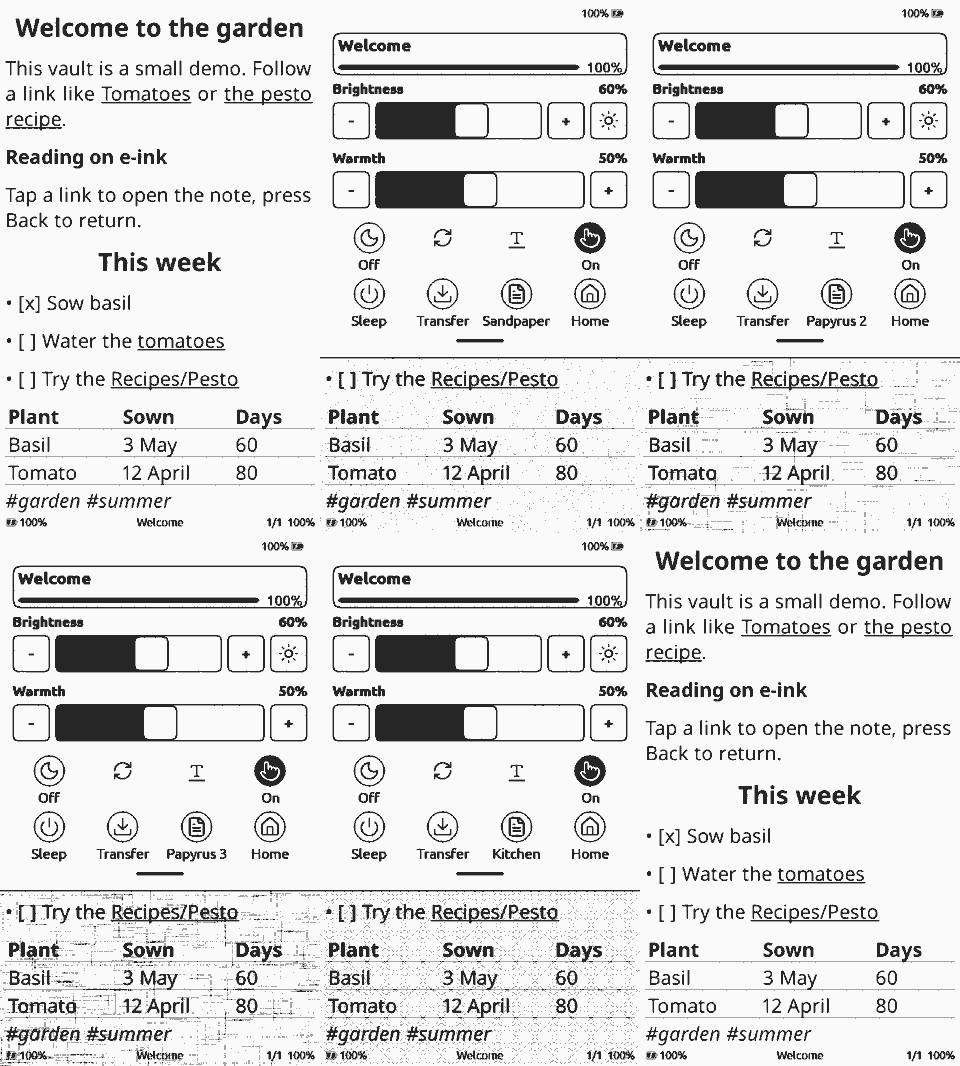
- Page backgrounds. Kostas (kos25k), a friend who tests it, suggested paper backgrounds, so now there's plain, paper, sandpaper, three kinds of papyrus, toilet paper, kitchen paper and bath towel. Mostly for fun. Plain is the default, but the papyrus ones are really nice for a long read.
Test versions went out on GitHub all evening, up to 0.8.2; 0.8.0 added footnotes, nested lists and embedded notes. They install straight from the browser with the web installer.
The honest part
The initial build is up and running, while the styling and the rest of vault support are on the way. Most testing happens in the simulator, which runs the same code on a computer, and the first device test came from a friend, Kostas, who runs 0.7.0 on an Xteink reader: it boots, and the menus and quick settings work. Two things turned up there and are fixed: Greek was hard to find in the language list (now first, in 0.8.1), and a tap on the paper tile could turn the book upside down (0.8.2). Those fixes haven't been re-tested on the device yet, and neither have vaults, notes or search. It's still early, so if you have an X4 Pro, please don't flash VaultInk onto the reader you use every day yet.
What comes next
First the vault reader gets finished, with speed for vaults with thousands of notes. Then Canvas files, read only. Then sync with the Self-hosted LiveSync plugin, so a vault stays in step with your computer and phone. After that, editing notes on the device, a Bluetooth keyboard, and an Android companion app. The order is in the roadmap.
I'll keep the VaultInk page up to date, and write a post now and then when something big lands.
If you'd like to help
VaultInk is for the X4 Pro for now, but the rest of the Xteink line, the M5Stack PaperMono and the Seeed reTerminal Sticky share the same screen and chip. Each of them needs testing in hand before I can say it works. If you'd like to help with that, the fundraiser page has the list and the details.
Thanks a lot: the CrossPoint Reader people for the reader underneath it all, and Kostas (kos25k) for the testing on a real device and the backgrounds.