 lefteros
LEFTEROS / PERSONAL NOTES
VaultInk 0.74: book map, gestures, FB2, Wikipedia and WebDAV
11 November 2026 / Lefteris Iliadis / SomniusX
Since the 0.70 post, VaultInk has gone through ten releases in six days, up to today's 0.74.0. The first ones, 0.71 to 0.73, came almost entirely from Kostas's (kos25k) issues again, and he has already tried quite a few of them on his X4 Pro. 0.74 is something else: I picked things KOReader has and VaultInk didn't, and built them. That one hasn't been tested on a device yet. At the end I say exactly what has been tested and what hasn't.
0.74: the KOReader milestone
Book map
The More menu now has Book map: the whole book as one strip, a segment for each chapter, a marker for where you are, ticks for your bookmarks and highlights, and a "You were here". Drag your finger along the strip, see where you'd land, and let go to jump there. The chapter lists now also show the estimated page where each chapter starts.
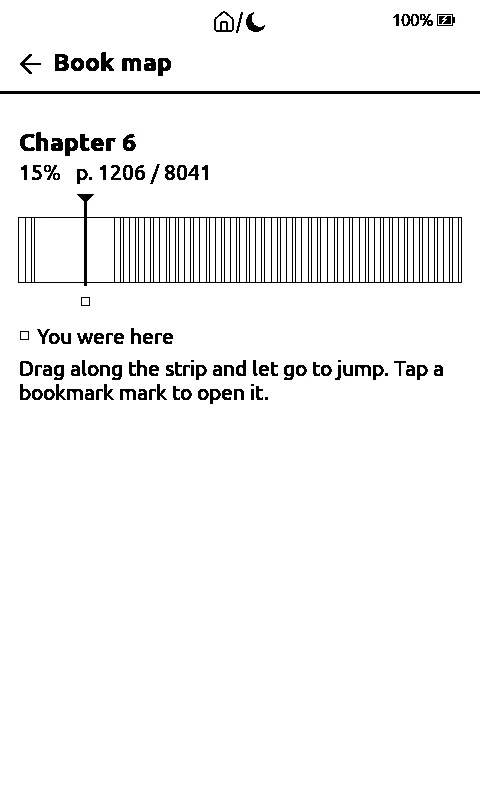
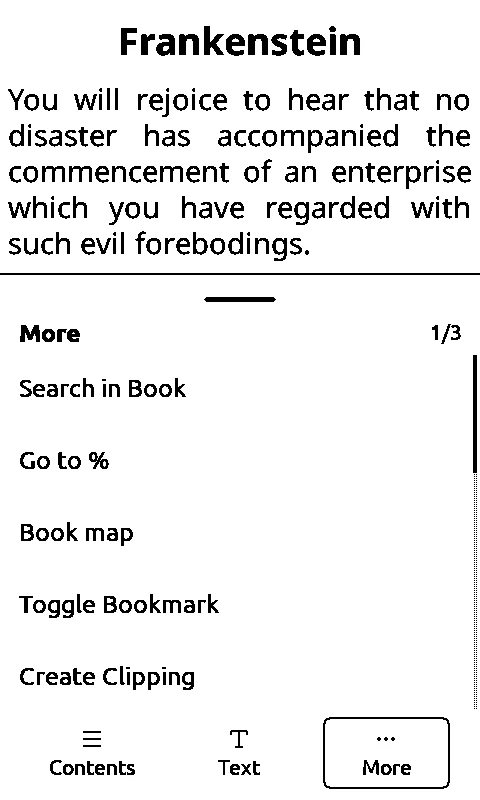
The book map, and the More menu that opens it. From the simulator.
Chapters that don't count
In an EPUB, a long press on a chapter hides it from the book's percent, the page number, Go to page and Go to %. Handy for forewords, appendices and endnotes, which pad out a book you're not going to read all of.
Gestures and a Quick Menu
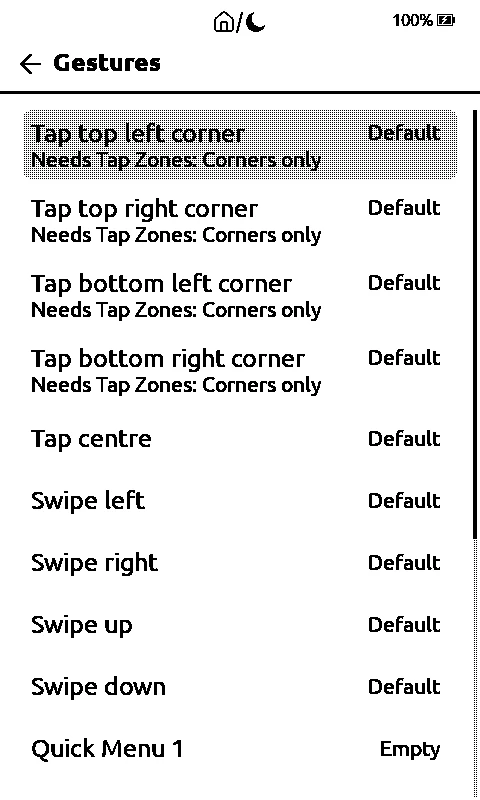
In Settings > Reader > Gestures you choose what the taps in the four corners, the tap in the middle and the four swipes do while you read, and fill a Quick Menu with up to six actions. Every row starts on Default, which is how it worked until now. The buttons and the edge gestures can't be changed, so you can't lock yourself out.
FB2, HTML and RTF
FB2, HTML and RTF books now open like text books, Greek included.
Warm light by the clock
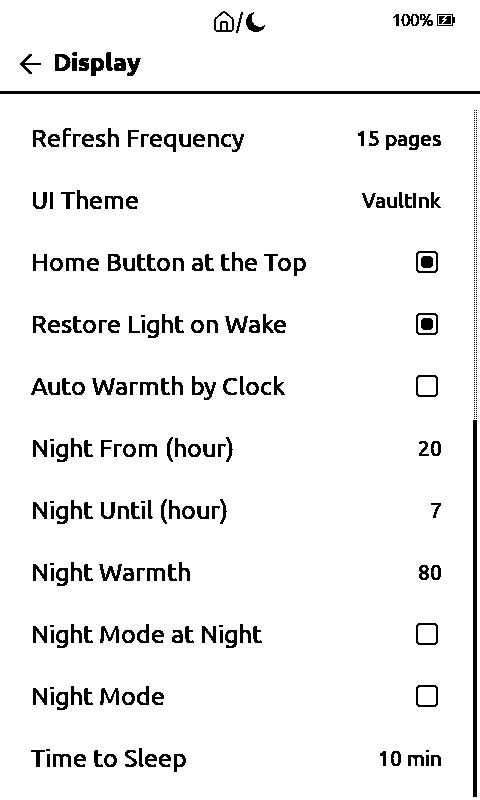
In Settings > Display you set two times, and between them the light turns warmer, and night mode comes on too if you want. It only acts when the window starts and ends, so whatever you change in the light panel in between stays. It needs the right time on the device.
Wikipedia, Readwise, Memos, WebDAV and FTP
- Wikipedia: when the dictionary doesn't have a word, it looks it up on Wikipedia, in the book's language. The connection always checks the certificate.
- Readwise and Memos: set up the account in Settings > Network > Highlight Exports and send a book's highlights from the book menu or the Clippings screen. It remembers what was sent. I haven't tried it with a real account yet.
- WebDAV and FTP: in Settings > Network you browse a server's files and copy to and from the card. FTP isn't encrypted, so it asks you before every connection. I haven't tried this with a real server yet either.
- KOReader sync now has a Check certificate switch. The update check stays as it was.
0.73: the book menu and PDFs
In Settings > Reader > Book menu options, the last row, you reorder the More and Text panels of the book menu and hide what you don't use. Back and Go home in More always stay.
PDFs now keep their headings, bold and italic. They show when Style is on, and it's plain text when it's off, with a checkbox at the bottom of the Text panel. Since 0.72.5, a tinted box in a PDF (a callout, a note, a code block) shows with a line of dashes above and below the text that was inside it. The real page layout, with pictures and tables, isn't possible: the device would have to draw the PDF's pages itself. A PDF you've already opened is converted again the first time you open it with 0.73.
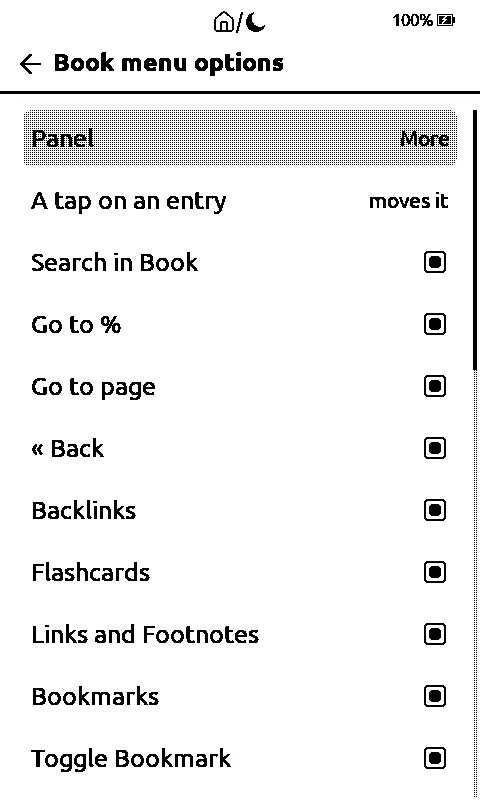
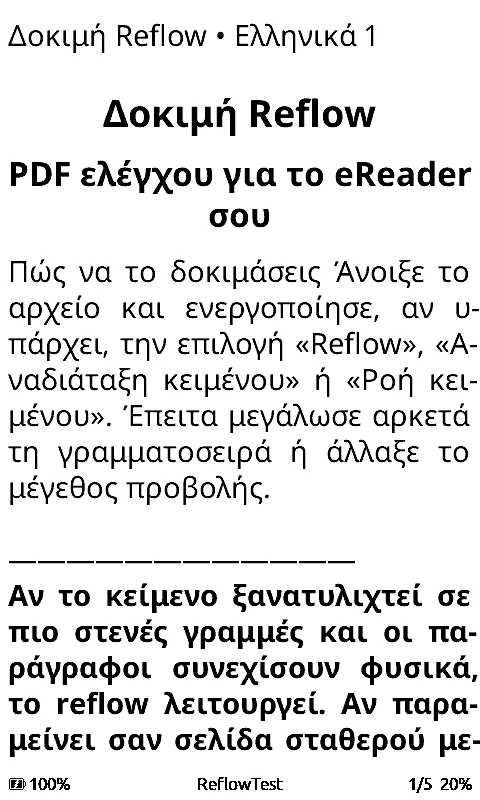
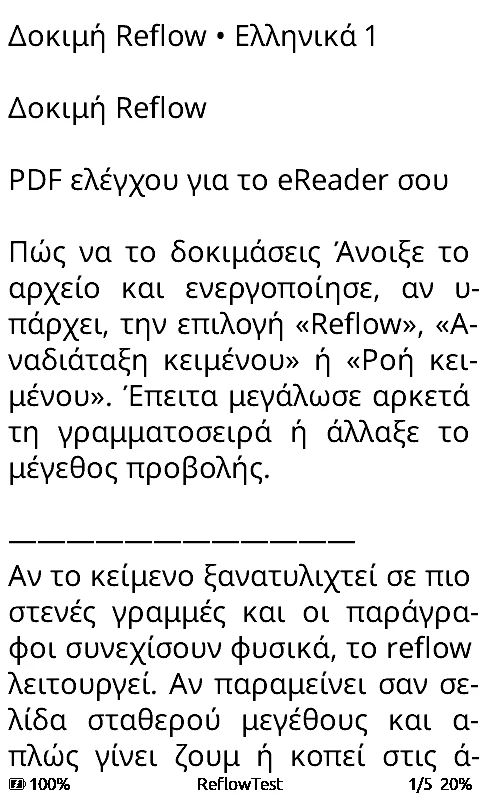
Book menu options, and Kostas's test PDF with Style on and off.
0.71 and 0.72: Browse Files and the home button
The home button is now a house, a slash and a crescent moon of the same size, A tap goes home, a long press puts the reader to sleep. It shows on the home screen too, where only the long press does anything. The Bluetooth mark now stays put while the Bluetooth Page Turner is on: with an exclamation mark until a remote connects, plain once it does.
In Browse Files, the gear now also has File types: switches for EPUB, PDF, TXT, Markdown, XTC, CBZ, MOBI / AZW, pictures, drawings and ZIP, with All on top, and they apply to the search results too. Next to the gear there's a refresh button, so a file you just sent shows up. Rows are wider, and a long name fills both lines and is cut with two dots only at the end of the second, with the file type last. A name that fills both lines on its own shows no file type. In the Library, the reading percent comes right after the icon. Folders have the plain folder icon again.
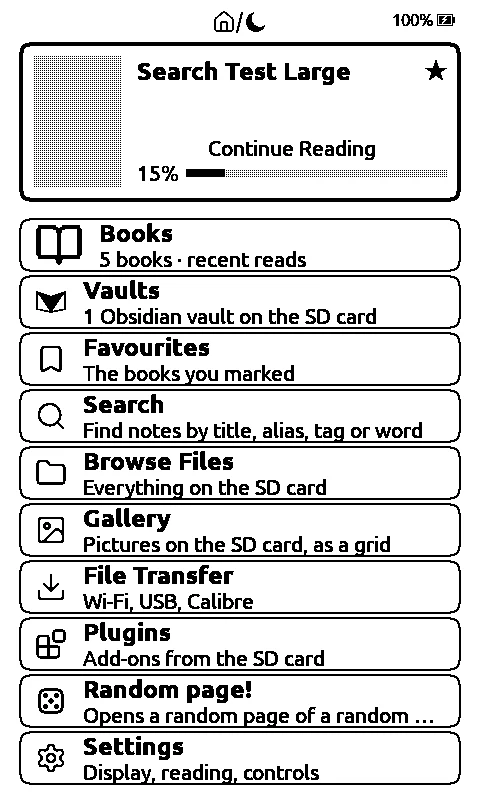
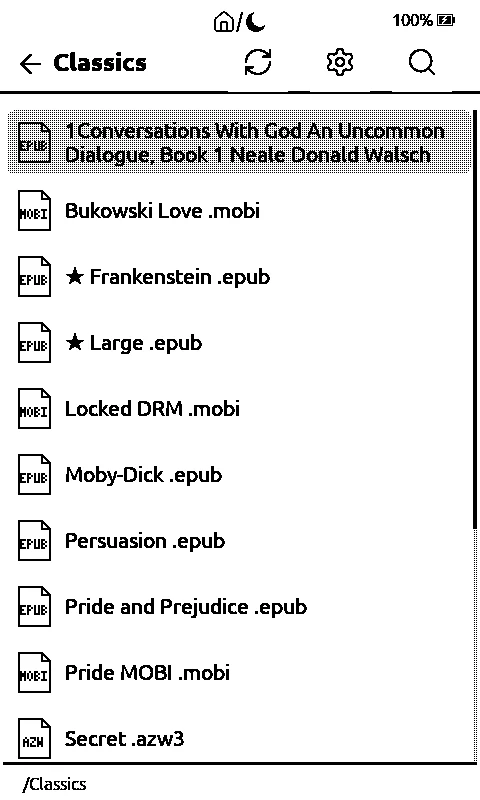
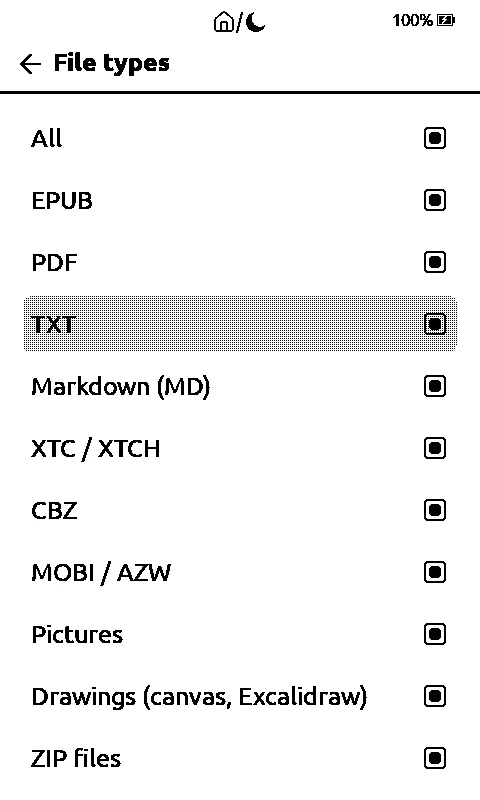
The home screen, Browse Files and File types. From the simulator.
Battery in sleep
Kostas saw the drain in sleep go up. In the latest log he sent, the reader loses about 0.18% an hour asleep, without waking by itself. The sleep code hasn't changed since 0.58, so I haven't found the cause yet and I don't want to guess. 0.73.1 now also writes the battery voltage and the reason the reader woke to the log, so a wake you didn't ask for shows up, and it turns the light off before every sleep on the X4 Pro too. Whether the light drew current in sleep, I haven't measured.
And more
- A screenshot from any screen: press Power and Down together. It was there before; now it has a guide.
- USB Drive in File Transfer makes the card show up on your computer as a drive, over the USB-C cable, with no Wi-Fi. It now has its own guide.
- The VaultInk Companion Android app now has a fixed download link that always holds the newest version (0.5.0 right now).
A note on the licence
For TLS 1.3 connections the firmware uses wolfSSL, which is GPL-2.0-or-later. NOTICE now says clearly that, because of this, the ready-made firmware files are distributed under the terms of the GPL-2.0-or-later, with the source in the repository. VaultInk's own source stays MIT. The details are in NOTICE.
What's been tested on a real device, and what hasn't
Kostas confirmed on his X4 Pro: the reading presets and the More order, and the Continue Reading fix from 0.70; the house and moon from 0.71, with the long press to sleep from 0.70; the house tap from File Transfer (the long press to sleep isn't on that screen yet); the two-line names in Browse Files and the Library; moving a file into a folder with books, which works for him with 0.72.4, though the cause wasn't found; and the Book menu options from 0.73.
Kostas tried File types on an earlier version and they didn't work for him; after the 0.72 fixes they haven't been confirmed. Not tested on a device: the refresh button, the PDF boxes (tested on a computer with Kostas's PDF and about 50 others), PDF Style (computer and simulator only), the new battery log, and all of 0.74. 0.74 has only run on the computer and in the simulator. Readwise, Memos, WebDAV and FTP haven't talked to a real server yet. The cause of the drain in sleep is still open.
The screenshots are from the simulator. Back up your SD card before you update.
How to get it
Install from the web installer, or update from the device in Settings > System > Check for Updates. The full list is in the 0.74.0 release and on the project page.
Thanks to Kostas (kos25k) for the testing and the issues, and to the people behind CrossPoint Reader, the FreeInk SDK and KOReader, which gave the ideas for 0.74.