 lefteros
LEFTEROS / PERSONAL NOTES
VaultInk 0.70: MOBI books, reading presets, Advanced Typography and a lot more
5 November 2026 / Lefteris Iliadis / SomniusX
Since the 0.62 post, VaultInk went through eleven releases in four days, up to 0.70.0 today. Most of it again came from Kostas (kos25k), who tests it on his X4 Pro and opens an issue for the next thing almost every day. Some of it he has already confirmed on his device, the rest has only run in the simulator so far. There's a section on exactly which is which at the end.
MOBI, AZW and AZW3
Kostas asked for MOBI in #26, so 0.67.0 opens .mobi and .prc books. They show up in the Library and in Browse Files, with a MOBI / PRC row in Book formats (MOBI / AZW from 0.67.1). Bold, italic, headings, lists, tables and pictures show; there are no chapters yet, the whole book is one chapter like a .txt.
His first MOBI failed straight away. Many MOBI files, most Kindle-store downloads without DRM among them, use Huffman compression, and 0.67.0 refused them. 0.67.1 reads them, and opens .azw and .azw3 too. For those newer files the text reads in order, but pictures, links and chapters don't work yet, and a heading can sit apart from its paragraphs. Books with DRM are refused with a message.


Advanced Typography
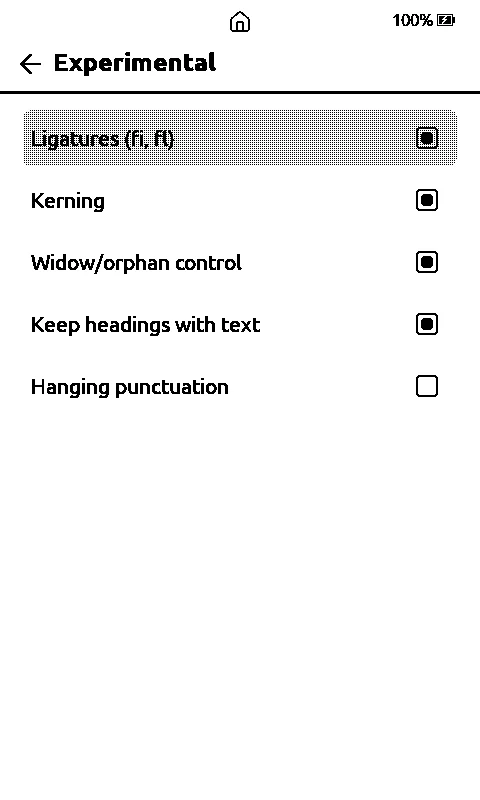
Settings > Reader > Advanced Typography, and in a book Text > Advanced Typography. Five switches: ligatures (fi, fl), kerning, widow and orphan control, keeping headings with their text, and hanging punctuation. The first four were always on and still are by default; now you can turn them off. Hanging punctuation is new and off by default: an opening quote or bracket at the start of a line hangs into the left margin, and a closing mark at the end of a justified line hangs into the right one, Greek « » and ano teleia included, up to 12 px. It needs a bit of page margin. While a book is open, kerning and ligatures apply to the menus too, and leaving the book puts them back.
Reading presets
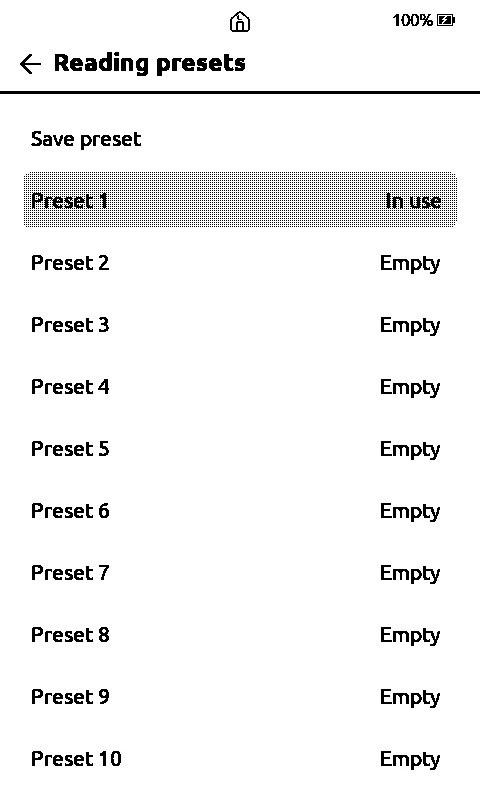
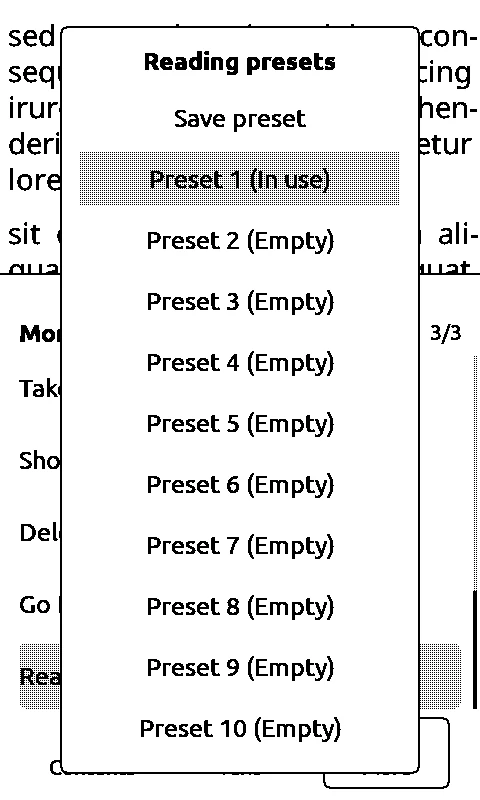
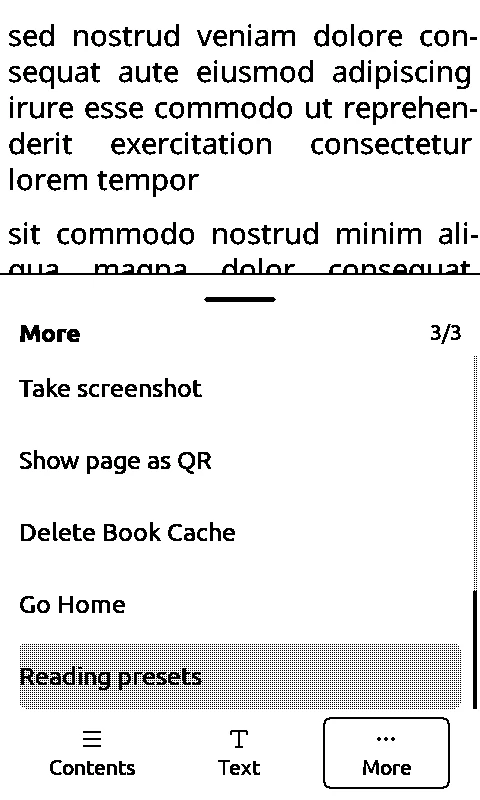
New in 0.70.0, from #12. Settings > Reader > Reading presets, and the last row of the book menu > More. There are ten slots. Save preset keeps your current Text settings in a slot with a name you give it: font, size, line spacing, alignment, hyphenation, Focus Reading, Even Word Gaps, word and character spacing, margin, paragraph indent and the five Advanced Typography switches. Inside a book one press on a slot applies it and the page is laid out again.
Page numbers and the status bar
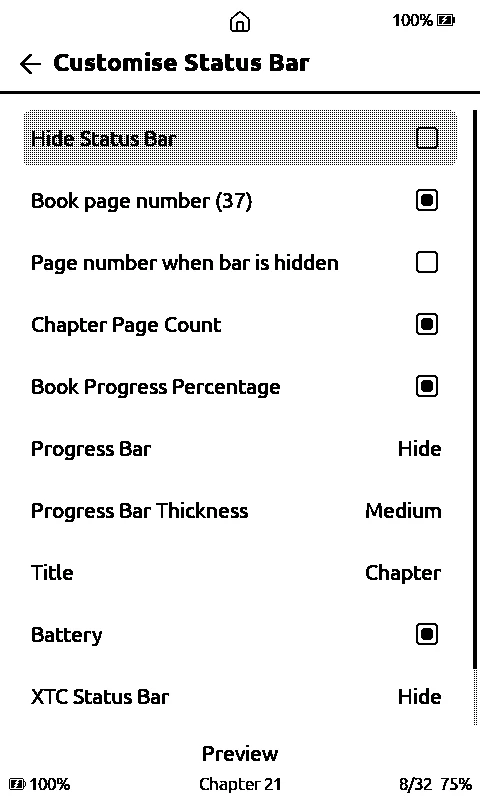
- Book page number: in Settings > Reader > Customise Status Bar, shown in brackets like (37) next to the battery and counted from the first chapter. It's an estimate, it changes with the font. There's also Page number when bar is hidden.
- Hide Status Bar moved into Customise Status Bar, and it's also a row in the book menu under More.
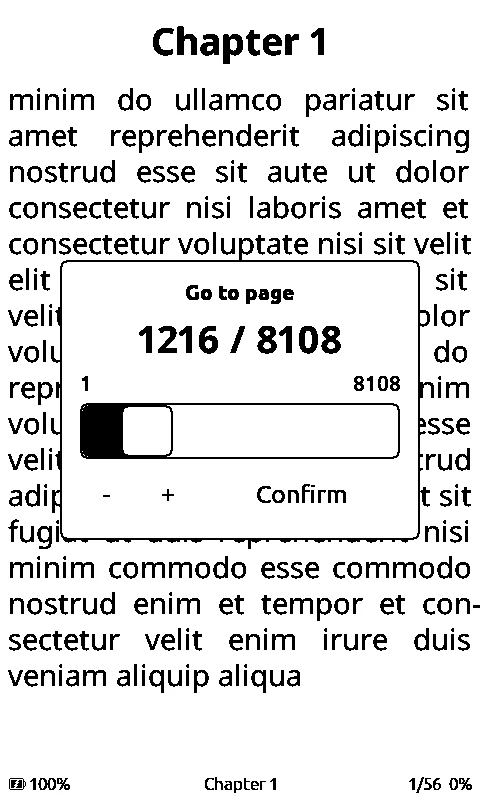
- Go to page (#29): book menu > More, under Go to %. A slider counts pages the same way as the number in brackets, so it's an estimate too. The side buttons jump by a twentieth of the book. It's not for notes.
The More menu, the home button and the home screen
- More menu order (#12): Search, Go to % and Go to page come first; the favourite toggle, Take screenshot, Show page as QR, Delete Book Cache, Go Home and Reading presets come last. Frontlight and Night Mode left More, they're still in the quick settings and everywhere else.
- Home button (#17): a long press on the house at the top puts the reader to sleep, a tap still goes home. The house has a small crescent moon on its roof now.
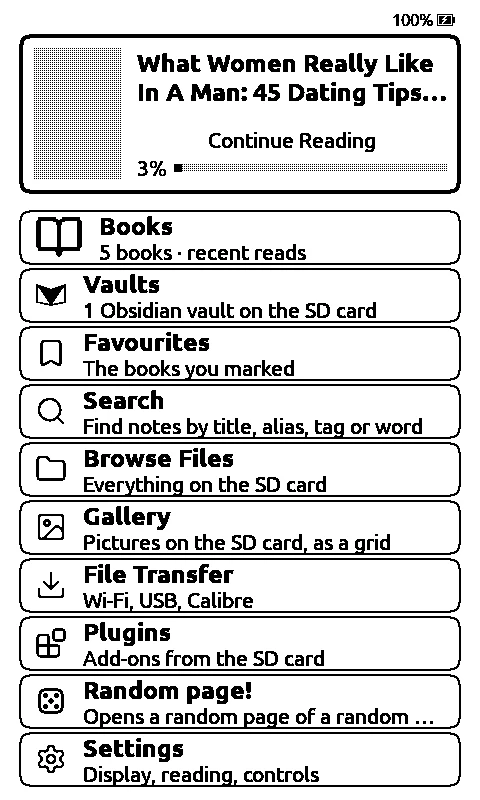
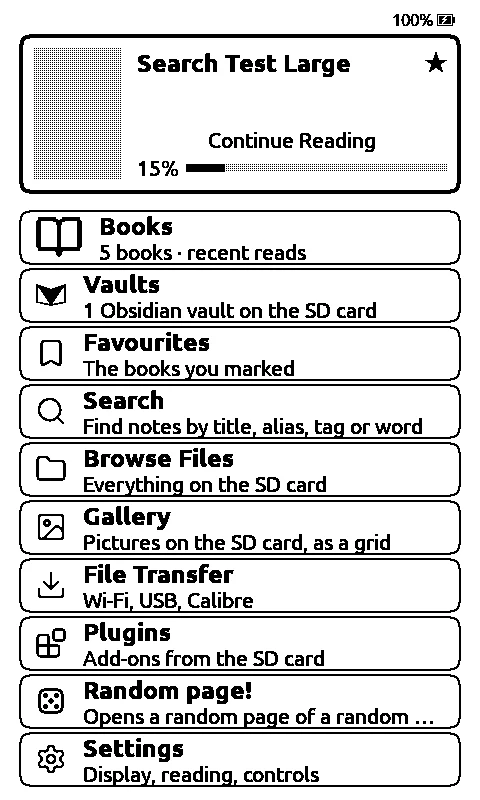
- Home screen (#14): every tile is the same height with the same gap, the Books icon is bigger, and the Books count counts only books, in the formats ticked in Book formats, not notes, text files or canvases.
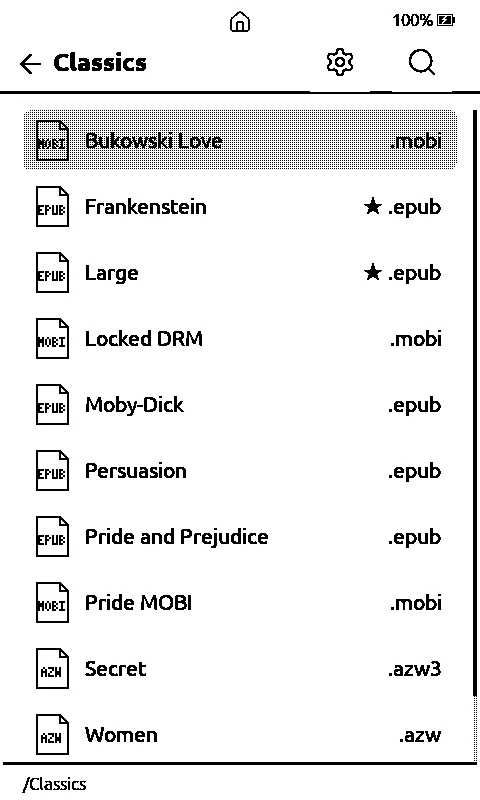
- Favourites star (#14): a ★ at the right of the Continue Reading card, before the file type in Browse Files and next to the book in the quick settings. 0.70.0 also fixed Continue Reading running into the author's name, and the label sits closer to its progress bar.
- Wi-Fi and Bluetooth marks (#17): next to the battery as soon as the radio is on, with a ! until it's connected (a hotspot that's up counts as connected), gone when it's off.
Browse Files
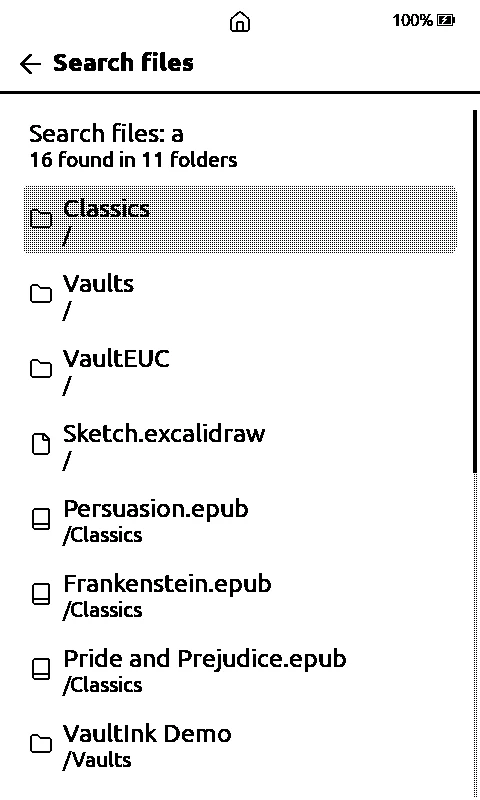
- Search (#13): a magnifier looks for files and folders by name across the whole card. Accents and capitals don't matter, up to 200 hits and 12 folders deep, and it tells you when there may be more. A hit opens, or Show in folder takes you there.
- Sort gear (#6): next to the magnifier. Name, newest, oldest, largest or smallest, folders first, and it stays the same in every folder until you change it. 0.70.0 dropped "Recently opened" from it, and Info and the date sort use the time the file was last added or changed on the card.
- Bigger icons with the file type inside (#15): EPUB, MOBI and so on in a book's icon, and in a folder's the type it holds most.
Papyrus, Battery and a Flashlight
- Four more papyrus looks (#1): aged, cracked, stained and crumpled, drawn in code. They're in Paper Button Cycle, Page Background and the contrast preview.
- Battery (#20): awake drain is now two lines, with the light off and with it on. The old log didn't save the light, so it needs a few days of new data and it's approximate.
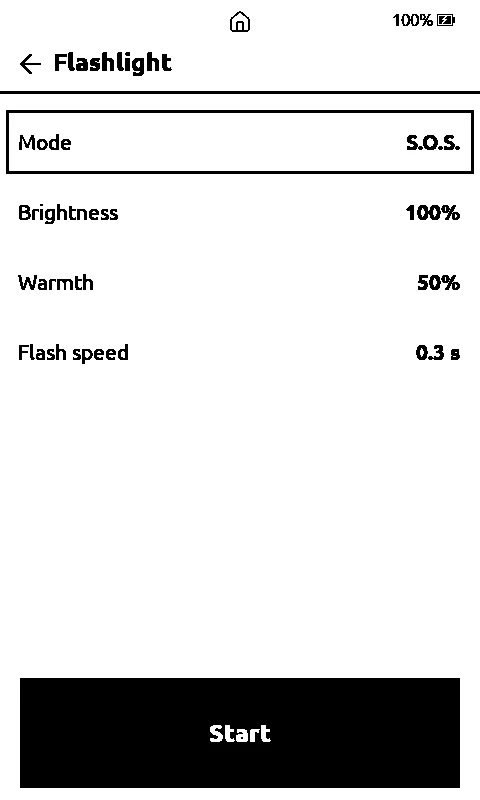
- Flashlight (#28): Home > Plugins > Flashlight. The front light as S.O.S., blinking or steady, with brightness, warmth and speed, and it puts the light back the way it was when you stop.

Focus timer, Habits and Excalidraw
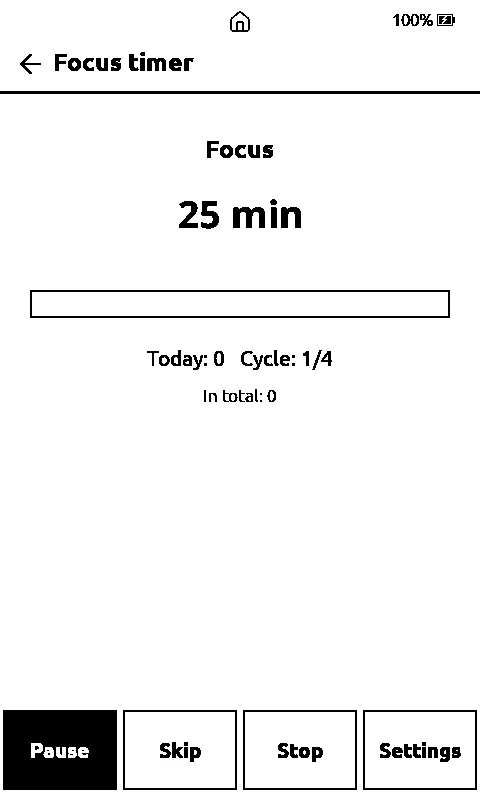
- Focus timer (Home > Plugins): a Pomodoro timer with focus, short and long breaks, and a long break after a set number of focuses. It follows the clock, so a sleeping reader still knows when the phase ended. Finished phases go to
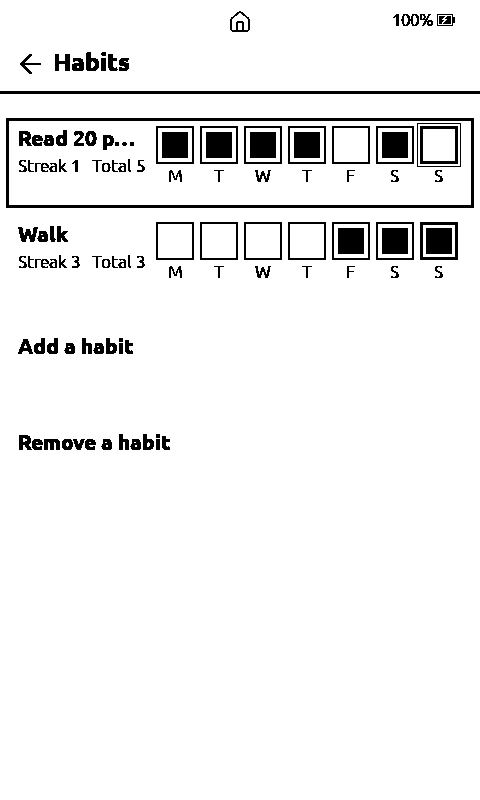
/.vaultink/focus.tsv. - Habits (Home > Plugins): up to 16 daily habits, each with its last seven days as boxes, a streak and a total, kept in a plain text file.
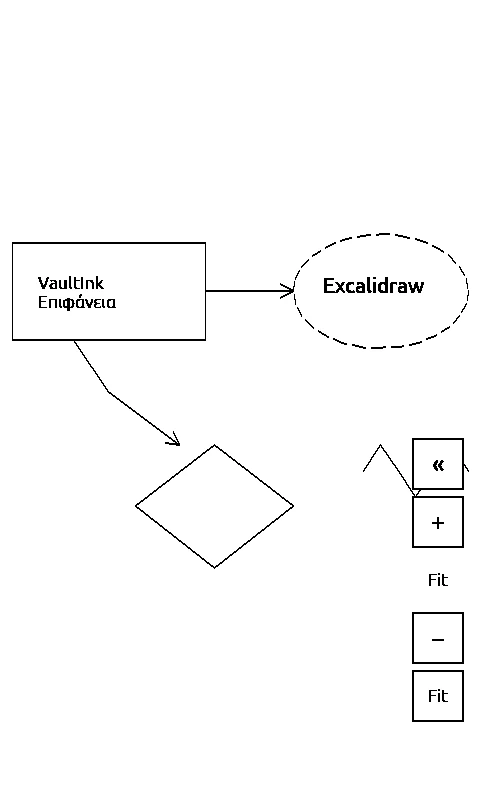
- Excalidraw:
.excalidrawfiles and the Obsidian plugin's.excalidraw.mdopen in a viewer like the canvas one, with fit, pan and zoom. Rectangles, ellipses, diamonds, lines, arrows, free drawing and text, and since 0.64.0 compressed drawings too, with filled ellipses and rotated shapes drawn properly.
Typing, the phone and LiveSync
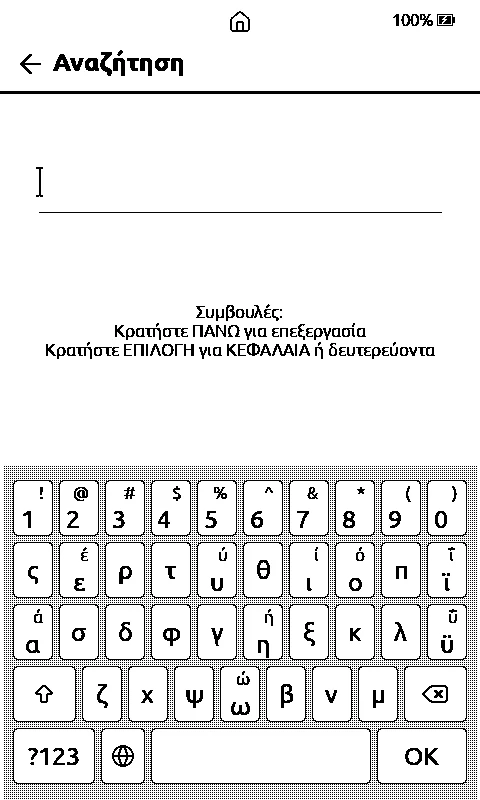
- Bluetooth keyboard: a paired keyboard types into the on-screen keyboard's line, US and Greek. It's under Settings > Connectivity > Bluetooth Page Turner and off by default.
- From phone: the text keyboard has a From phone button that types in text the companion app left on the card.
- Sync from the phone: the companion app can ask for a LiveSync sync, and the reader runs one at its next wake.
- LiveSync Setup URI (0.68.1): the reader said "Turn on end-to-end encryption (V2)" for a vault that already used V2. The plugin leaves its default settings out of the Setup URI, so the URI said nothing about the algorithm. A missing algorithm now counts as V2, and the message says what's actually wrong. Checked against the plugin's source and with tests, not with a real vault.
- Dice rolls start from a better seed now: the chip's random generator mixed with the time, the battery, the clock's jitter and a counter. Sudoku and Random page! use it too.
- Random page! (#15) only picks books now, never notes, logs, the changelog or crash files, and a peek never ends up on Continue Reading or in Recent.
Companion 0.5.0
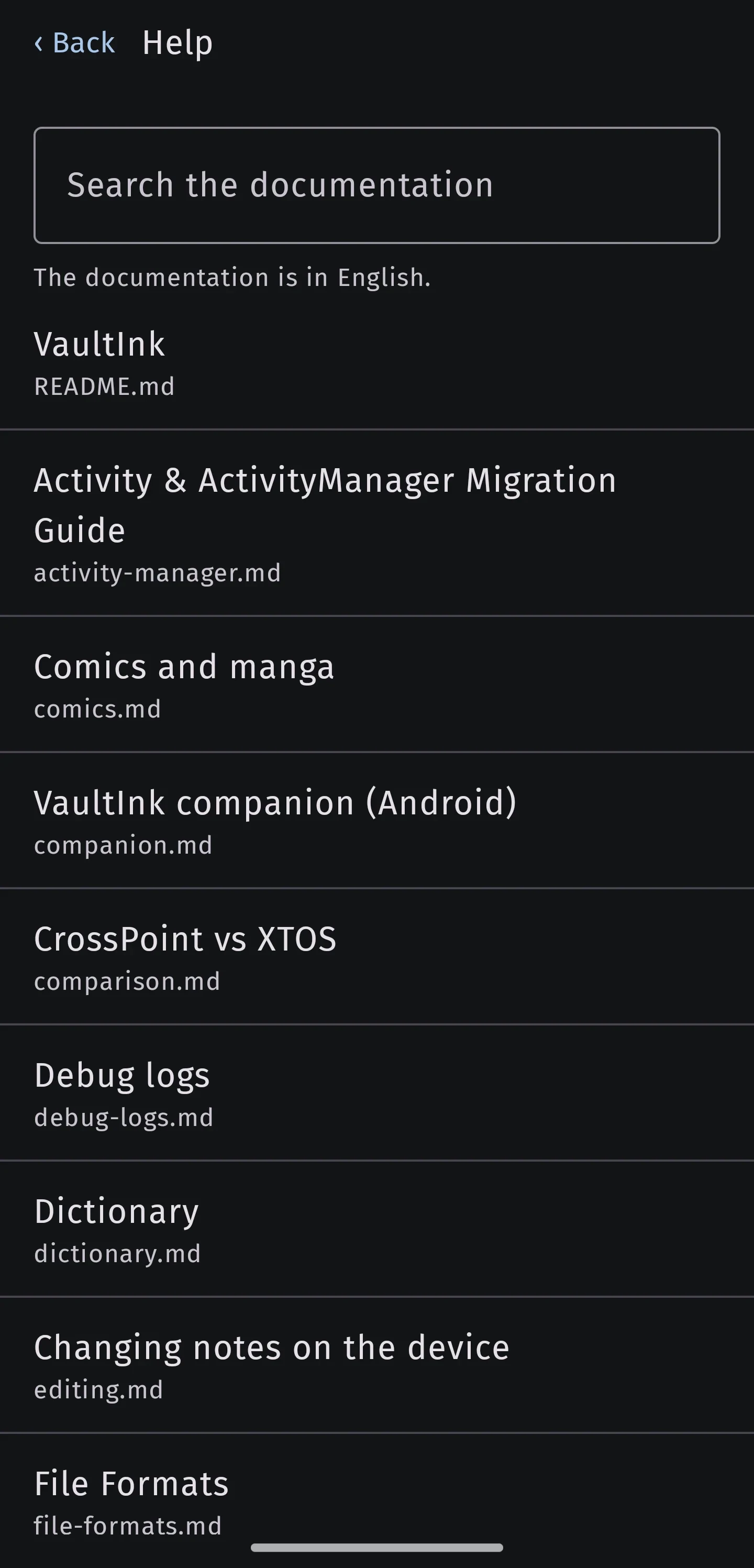
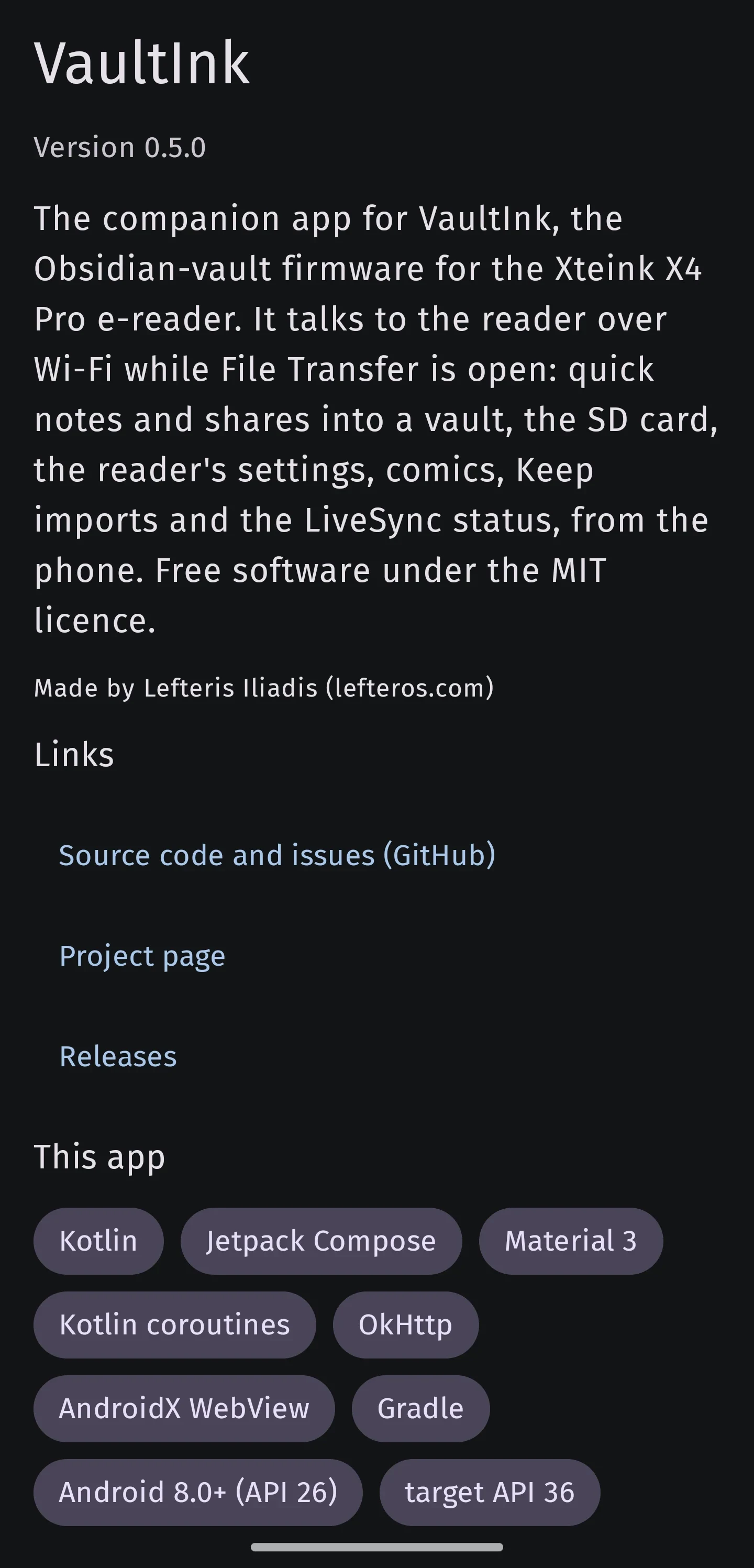
The Android app got an intro screen, About with the tech stack of the app and of VaultInk, and Help with the whole VaultInk documentation to read on the phone. The Files list shows each file's type, and the Greek Up button no longer wraps (that one came from Kostas's screenshot). There's a LiveSync status card with a sync request, typing into the reader from the phone, and Bring notes in, which imports a Google Keep Takeout as Markdown notes into a vault. Typing and sync from the phone need VaultInk 0.64.0 or newer. Get it from the companion-0.5.0 release.
What's tested on a real device, and what isn't
Kostas confirmed these on his X4 Pro: the four papyrus looks, the Battery split, the Flashlight, the book page number in the status bar, Hide Status Bar in the book menu, Advanced Typography, and MOBI, AZW and AZW3 (all three of his files opened). He also tried a cheap Bluetooth camera shutter with the Bluetooth Page Turner that was already there, and it turns pages.
Everything else hasn't been on a device yet. Go to page, the home screen and Books count, the stars, the Continue Reading fix, the Wi-Fi and Bluetooth marks, the sort gear and icons, reading presets, the More order and the sleep long press have only run in the simulator. Search in Browse Files, From phone, sync from the phone, the Focus timer, Habits, Excalidraw and the dice seed ran in the simulator and in tests on the computer. The LiveSync fix was checked against the plugin's source and with tests, not with a real vault. The Bluetooth keyboard hasn't met a real keyboard, and the companion app hasn't been tried against a real reader.
VaultEUC from 0.62 still has never talked to a real wheel. Don't use it while riding, and rely on the wheel's own alarms.
The screenshots are from the simulator, except the companion ones from my phone. Back up your SD card before updating.
Getting it
Install from the web installer, or update on the reader under Settings > System > Check for Updates. The full list is in the 0.70.0 release and on the project page.
Thanks to Kostas (kos25k) for the testing and for nearly every idea in this post, and to the CrossPoint Reader people and the FreeInk SDK, which VaultInk stands on.