 lefteros
LEFTEROS / PERSONAL NOTES
VaultInk 0.41: sync, editing, comics and an Android companion
30 October 2026 / Lefteris Iliadis / SomniusX
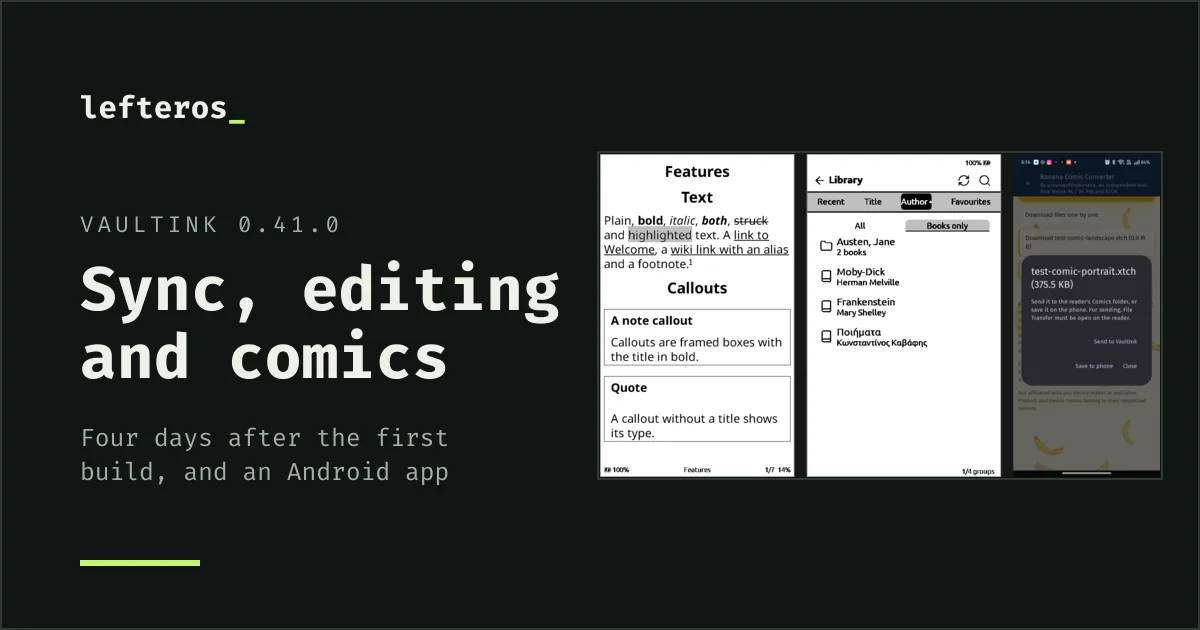
On 26 October I started VaultInk, firmware for the Xteink X4 Pro that keeps everything CrossPoint Reader does for books and adds your Obsidian vaults. That evening ended at 0.8.2. Four days and more than fifty versions later it's at 0.41.0, and it has a second app beside it: VaultInk Companion, for Android.

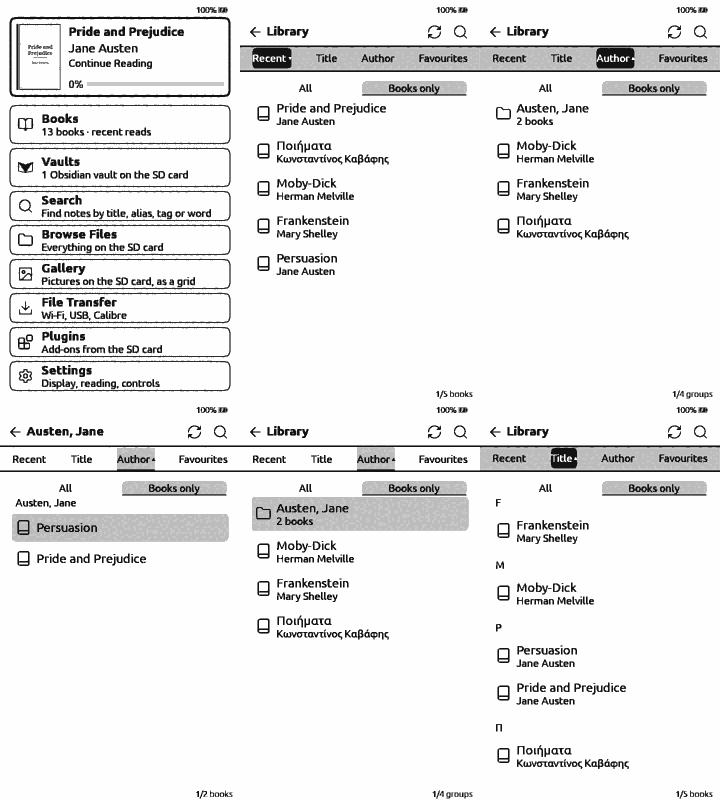
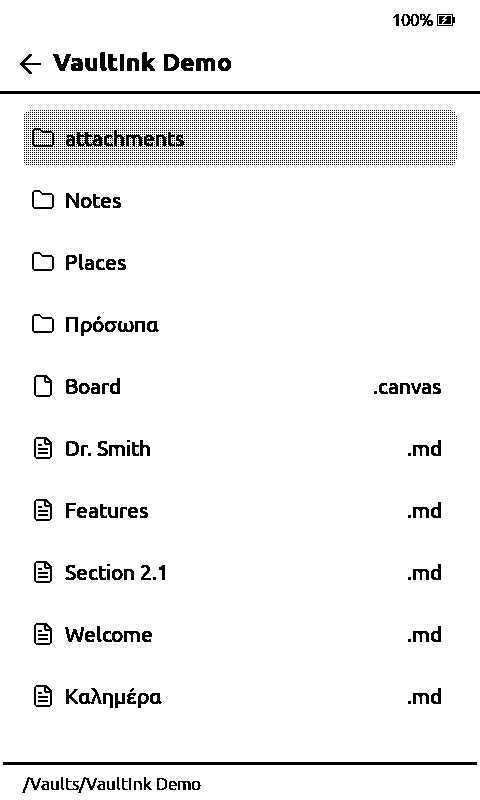
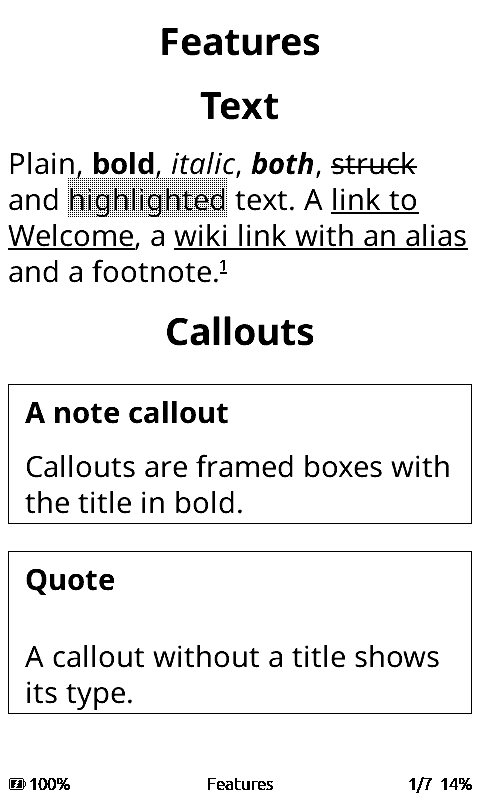
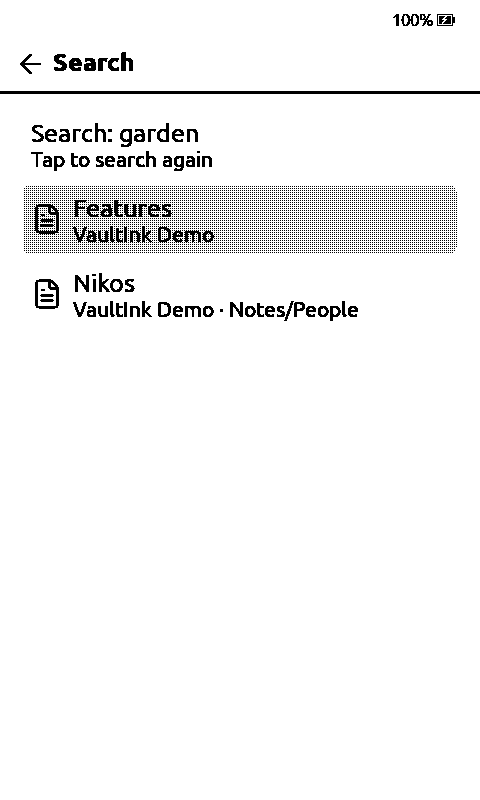
Left: a vault opens like a folder, a note reads like a book page, and a link goes to the other note. Right: the Library with authors as folders. Simulator, 0.36.0.
Notes and vaults
The vault reader is much further along than on day one:
- Callouts are framed boxes with the title in bold, and highlights are a light gray band behind the words (Settings → Vaults → Highlight style has two more looks).
- Embeds can show a whole note, one heading's section, or a single paragraph by its block id. Links find notes the way Obsidian does, by name, by path or by the end of a path, and names with dots like
[[Dr. Smith]]work. - Each vault remembers the note you read last and opens on it, and under the vaults Recent notes lists the last five you read, from any vault.
- Canvases. Obsidian's
.canvasfiles open in a viewer: the whole board on the screen, cards, groups, labelled arrows and pictures, with zoom buttons and panning. Tap a card to open its note. - Import a vault from a ZIP on the device's web page. A demo vault comes with every release.
- Links, images and embeds come from the search index's list of files, so a vault with thousands of notes doesn't make the reader scan the whole card.
Sync both ways with LiveSync
VaultInk speaks the format of the Self-hosted LiveSync plugin, so a vault on the reader stays in step with Obsidian on your computer and phone. The plugin stays as it is there. You paste the plugin's Setup URI on the device's web page, type the passphrase on the device, and press Sync now. End-to-end encryption and path obfuscation are supported.
It started read-only in 0.19.0 and goes both ways since 0.28.0: notes you change on the reader go up first, then the rest comes down. Nothing gets overwritten. If a note changed on both sides, you keep both versions. There's also a Sync tile in quick settings, and an option to sync when the reader wakes.
I tested sync against a local CouchDB with LiveSync's own command line tool, which runs the plugin's code: notes the device sent came back byte for byte, including a Greek note, an edit, a delete and a conflict. It isn't tested on a real X4 Pro or against a real Obsidian install yet, so keep a backup of your vault for the first syncs.
Editing on the device
Tap a task box to tick it. Edit a note line by line, with undo. Make a new note, or rename or delete one (deleted notes go to the vault's .trash). Since 0.38.0, renaming a note offers to fix the links that point to it. A sync never overwrites a note you changed on the reader: a newer copy from the server is saved beside it.
Comics and manga
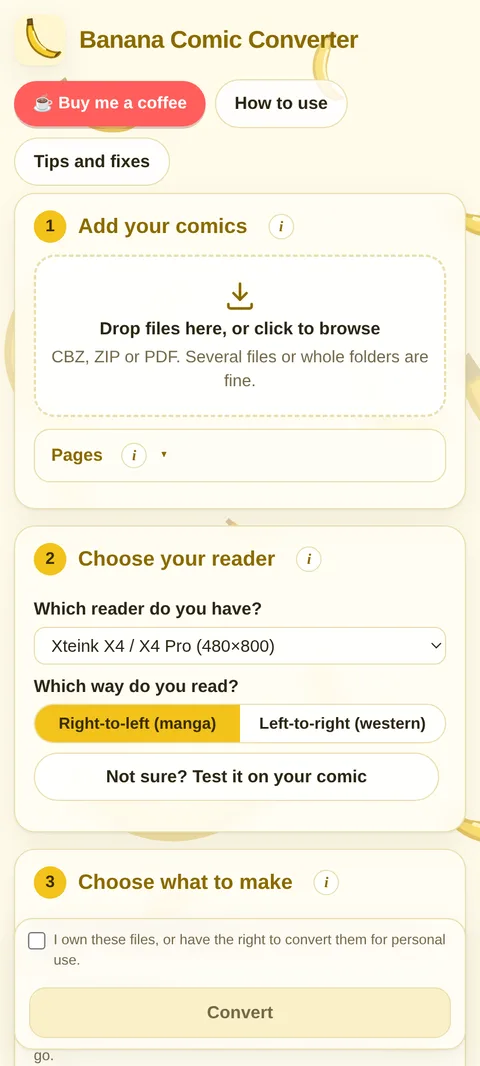
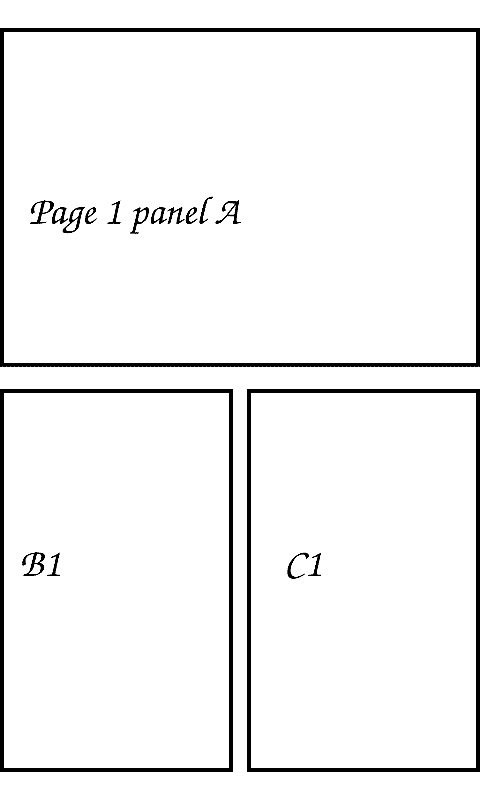
Comics on the X4 Pro go through Banana Comic Converter by u/curseofthebanana: a free tool in the browser that cuts each page into its panels and repacks them for the small screen, with an X4 / X4 Pro preset and manga or western reading order. Its author is happy for VaultInk to send comic readers their way, and VaultInk is built to open what it makes. Convert to XTCH (or XTC), send the file to the reader, and read it like a book. On the reader, Settings → Library → Convert comics shows a QR code that opens the converter on your phone.
Since 0.39.0, plain CBZ files open too, with JPEG and PNG pages. Since 0.40.0 they have a chapter list, and their cover and progress show on the home screen.
VaultInk Companion for Android
The companion app talks to the reader over Wi-Fi while File Transfer is open on it. The reader shows up on the network as vaultink.local, so the app usually finds it without an address. It has these tabs:
- Note. Write a quick note into a vault folder (Inbox by default), or share text and pictures to it from any other app. Pictures go to the vault's attachments folder, linked from the note.
- Files. The whole SD card: upload, download, rename, move and delete, with a progress bar.
- Settings. The reader's settings, changed on the device straight away.
- Device. The address and firmware version, and an update check that downloads the newest companion release and opens Android's install prompt.
Version 0.2.0 adds Files → Convert a comic. It opens Banana Comic Converter inside the app, and the finished file goes straight to the reader's Comics folder with Send to VaultInk. Notes you add from the phone count as changed on the reader, so its next LiveSync sync sends them to the server. The app is in English and Greek, and it needs VaultInk 0.29.0 or newer on the reader.
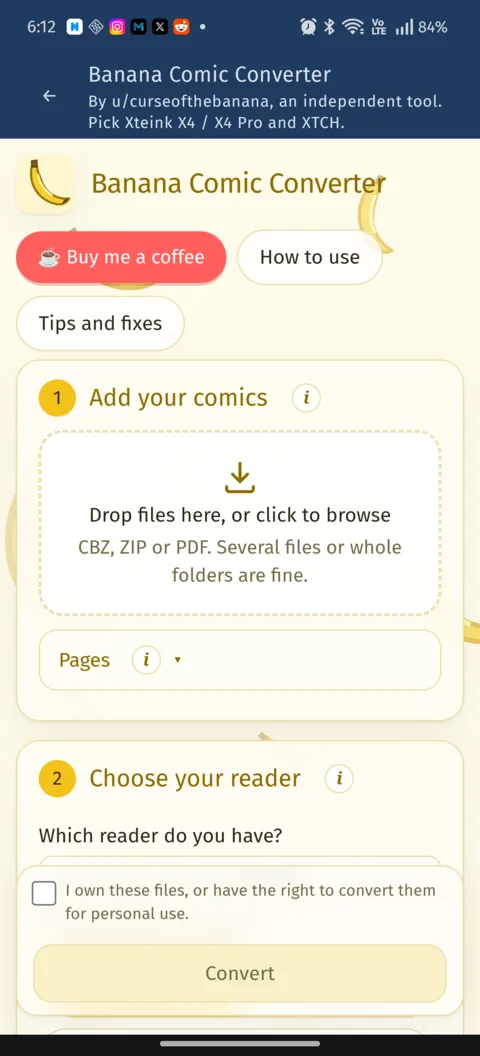
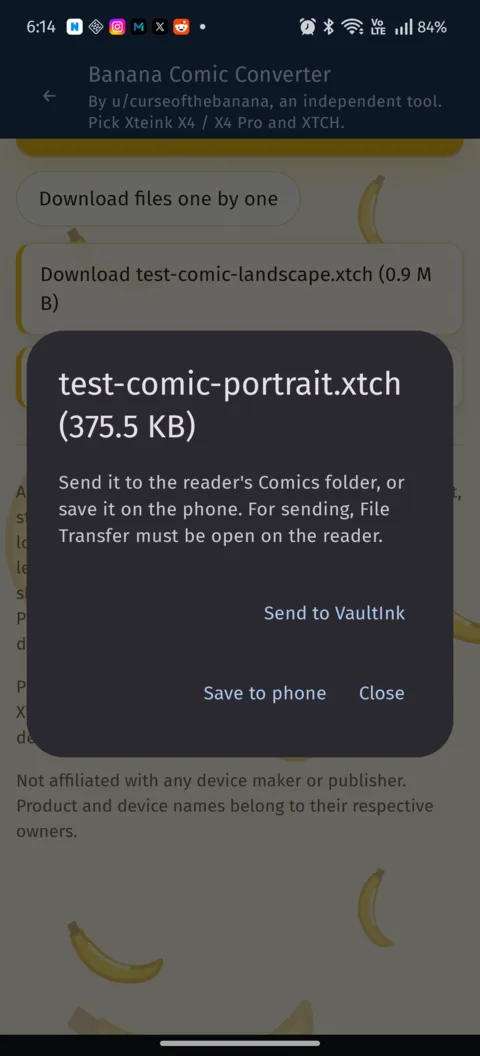
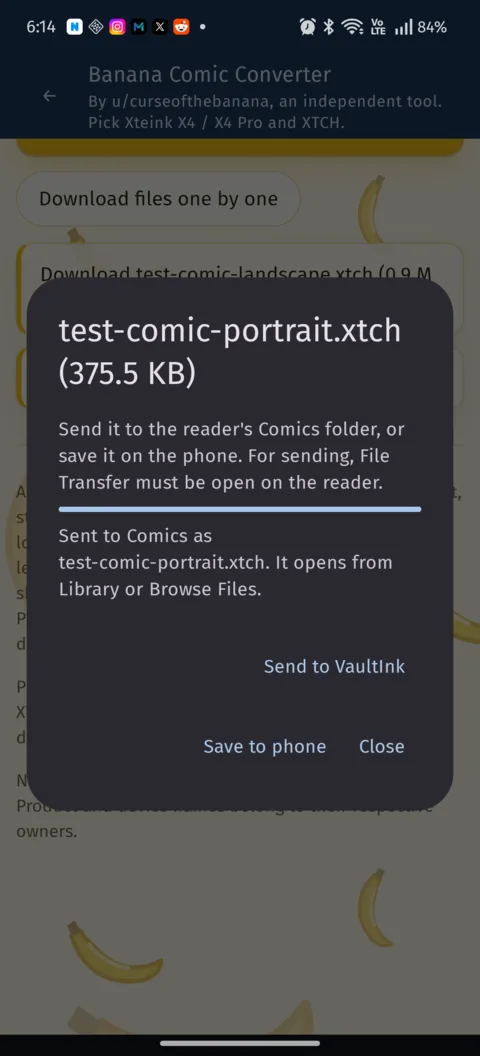
It's tested on one phone (Android 16) against the simulator, not yet against a real X4 Pro over Wi-Fi. The APK is on the companion-0.2.0 release.
The Library, the home screen and the rest
Most of these came from Kostas (kos25k), who has opened twenty issues on GitHub so far:
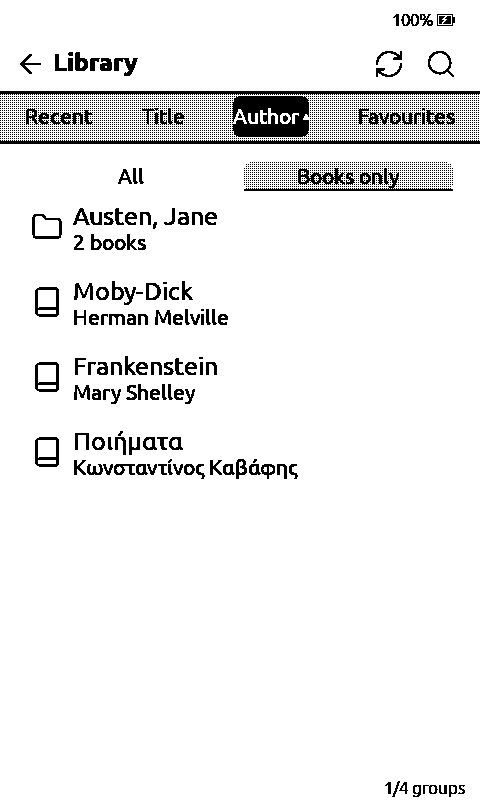
- Favourites as a Library tab, Authors as folders, a Books only switch that hides the vault notes, and book info on a long press.
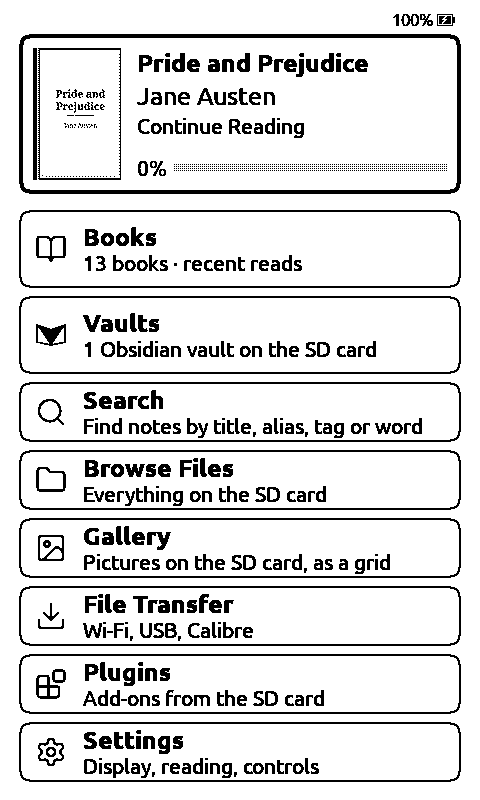
- Home screen rows in any order, a home button at the top, and settings search by name.
- Line spacing from 0 to 10, a switch to hide the status bar, the battery percentage on the sleep screen, and PNG sleep pictures.
- A Gallery for the pictures on the card, file actions on a long press (including Extract here for a ZIP), tap zones, and What's New after every update.
- A welcome guide on the first start, and a new papyrus page background, the cloudy one.
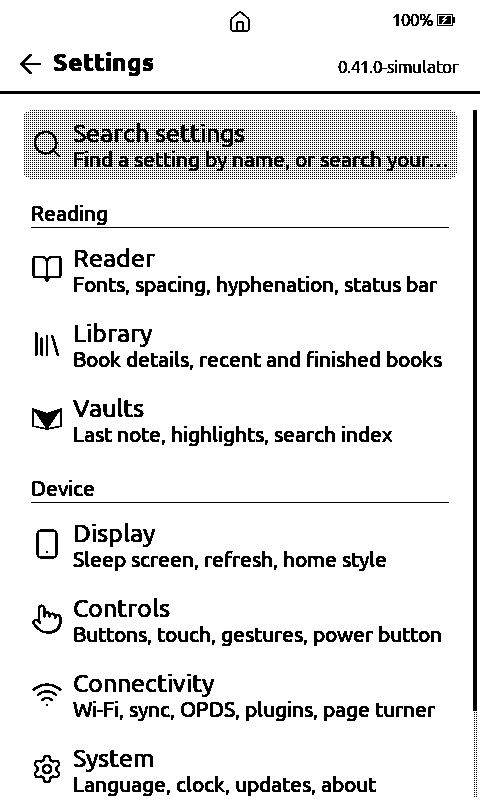
What's tested
Kostas runs the releases on an X4 Pro, and a lot of the fixes above came from that. Everything new is tested in the simulator first, and each release note says what hasn't been confirmed on a device yet. For most of what's new since 0.20.0, that's still the case. So please back up your SD card before you try it.
What comes next
A Folders tab in the Library, sharing comics into the reader from other apps, and a companion 0.3.0 that keeps your notes until the reader is reachable. After that, the rest of the vault reader, then a Bluetooth keyboard. The order is in the roadmap, and the VaultInk page follows along.
VaultInk is for the X4 Pro for now. If you'd like to help bring it to the rest of the Xteink line, the M5Stack PaperMono and the Seeed reTerminal Sticky, the fundraiser page has the details.
Thanks a lot: Kostas (kos25k) for the testing and the ideas, u/curseofthebanana for Banana Comic Converter, and the CrossPoint Reader people for the reader underneath it all.