 lefteros
LEFTEROS / PERSONAL NOTES
Hidden Wi-Fi, keyboard layouts and a clock with seconds for Chris Titus's dwm
13 October 2026 / Lefteris Iliadis / SomniusX
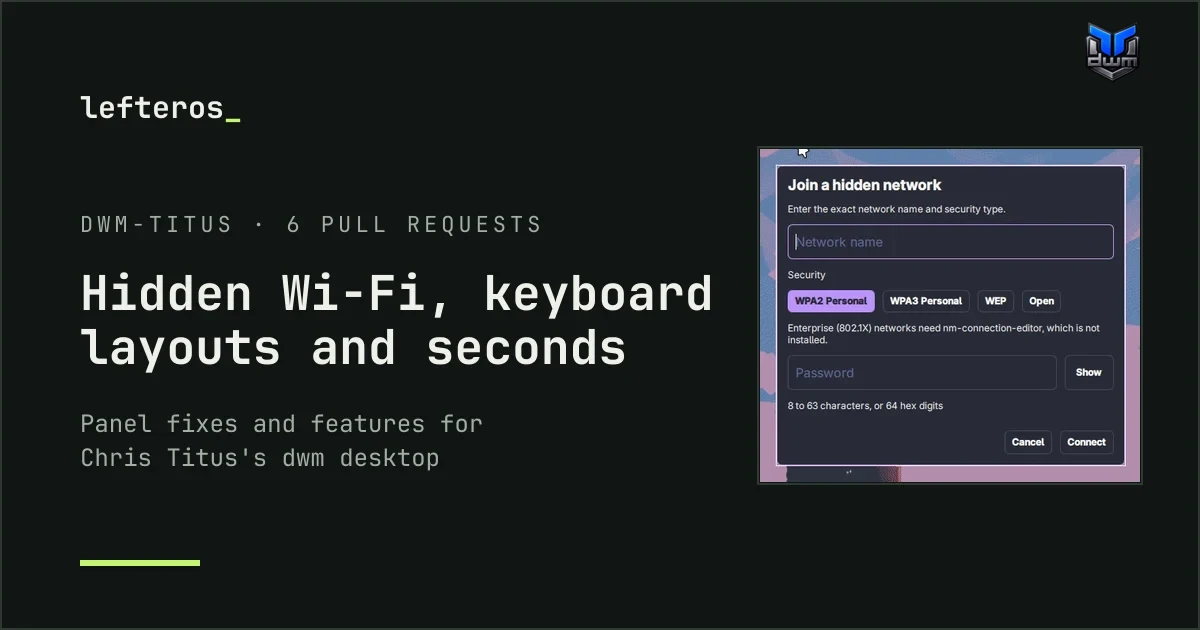
After kitty started following the theme in dwm-titus, Chris Titus's desktop around dwm, I kept going. I run it in a Fedora 44 virtual machine, version 0.7.2, and went through the open issues to see what I could help with. Six more pull requests came out of it. They're all still open as of 13 October; the dwm-titus page keeps track of where each one stands.
Join a hidden Wi-Fi network
Issue #375, from abdrezzakboumediene: there was no way to join a network that doesn't broadcast its name. Pull request #379 adds a Hidden network… row to the panel's Wi-Fi list. It opens a small form: the network name, the security type (WPA2, WPA3, WEP or Open) and the password.
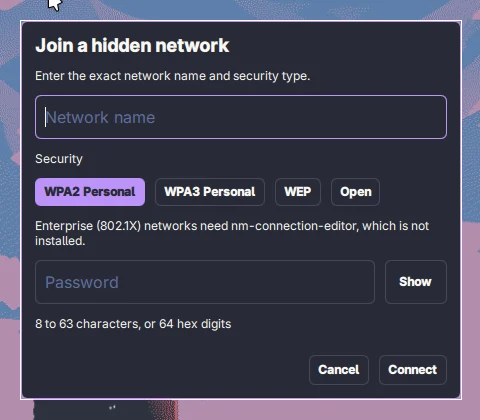
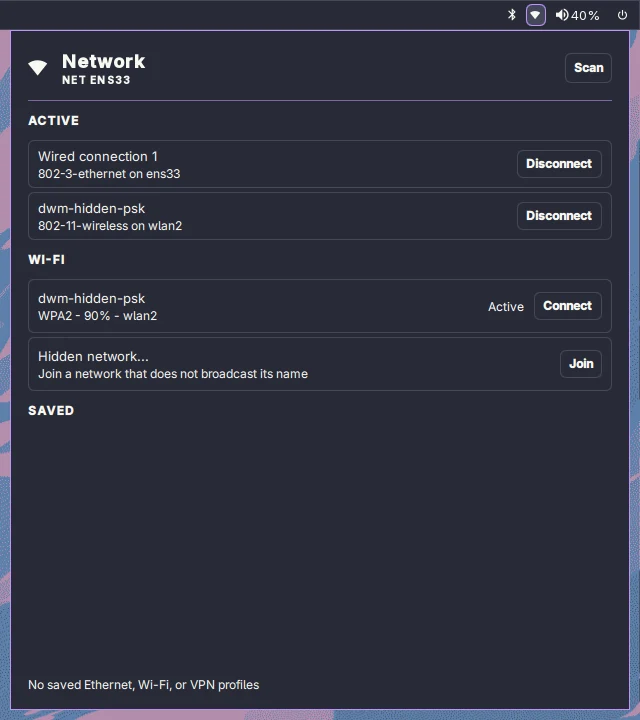
The form, and the panel connected to the hidden test network.
- Enterprise (802.1X) networks hand off to
nm-connection-editor, which is now installed with the desktop. Until now, an enterprise network on a fresh install simply failed. - A wrong password fails in about 4 seconds, instead of hanging until NetworkManager gives up after 90.
- The password never shows up in a process list. It goes to the helper through standard input, into a file only your user can read.
- A key binding can open the form too:
quickshell ipc call network openHiddenPrompt.
What survives an update
Issue #373, from gkap28, is the one that stayed with me. gkap28 had added seconds to the clock, a US/DE/GR keyboard switcher and per-monitor tags, all inside ~/.config/quickshell/, and lost every one of them on the next update. The 0.7.0 release notes said updates “preserve user configuration”, but that folder is replaced every time.
Pull request #380 fixes the docs: a “What survives updates” table in the configuration guide, and the same warning in the update notes and the README. The other two pull requests below build two of gkap28's three changes the proper way, so they survive updates. Per-monitor tags aren't part of this.
Seconds in the clock
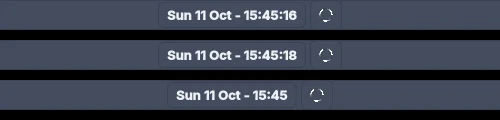
Pull request #381: a switch in Settings > Appearance and in the Control Center's Bar Widgets. It's off by default, and it's stored in ~/.config/dwm-titus/panel-widgets.conf, which updates leave alone. With seconds on, the clock uses about 0.13% of one CPU core.
A keyboard layout pill
On X11 nothing in dwm-titus showed which keyboard layout was active, and for anyone who doesn't type only in English that matters. On Omarchy I solved this for myself with Keyboard Layout, so I proposed bringing the same idea over in issue #382, rewritten for X11. It's two pull requests:
- #383, in dwm itself. dwm now publishes the active layout and the layout names, and switches layouts when another program asks. There's also a
cyclelayoutfunction you can bind to a key. - #384, in the panel. A pill shows US, GR, DE and so on. Click or scroll to switch, middle-click for your first layout, right-click for Settings > Input, and hover for the full name. With a single layout it stays hidden, and it can be turned off like any other widget.


Settings > Input also gets two rows of buttons for each keyboard: Switch layout with (Alt+Shift, Ctrl+Shift, Caps Lock, Shift+Caps Lock, both Shifts, Right Alt, Right Ctrl or Menu) and Layout LED (Caps, Scroll or Num Lock). So a single key can switch layouts, and a keyboard light can show when you're on the second one.
One thing I found on the way: with Greek as the first layout (gr,us), a SUPER+k shortcut doesn't fire at all, while with us,gr it does. So the docs now say to keep a Latin layout first.
A tidier Settings > Input
While testing the keyboard pull requests I noticed two odd things in Settings > Input. The power button showed up as a “Power Button (keyboard)” card with layout fields, and the VMware mouse was listed twice, with every setting doubled, and changing one failed. Pull request #385 skips devices that aren't real keyboards and merges the parts of one device into one card.
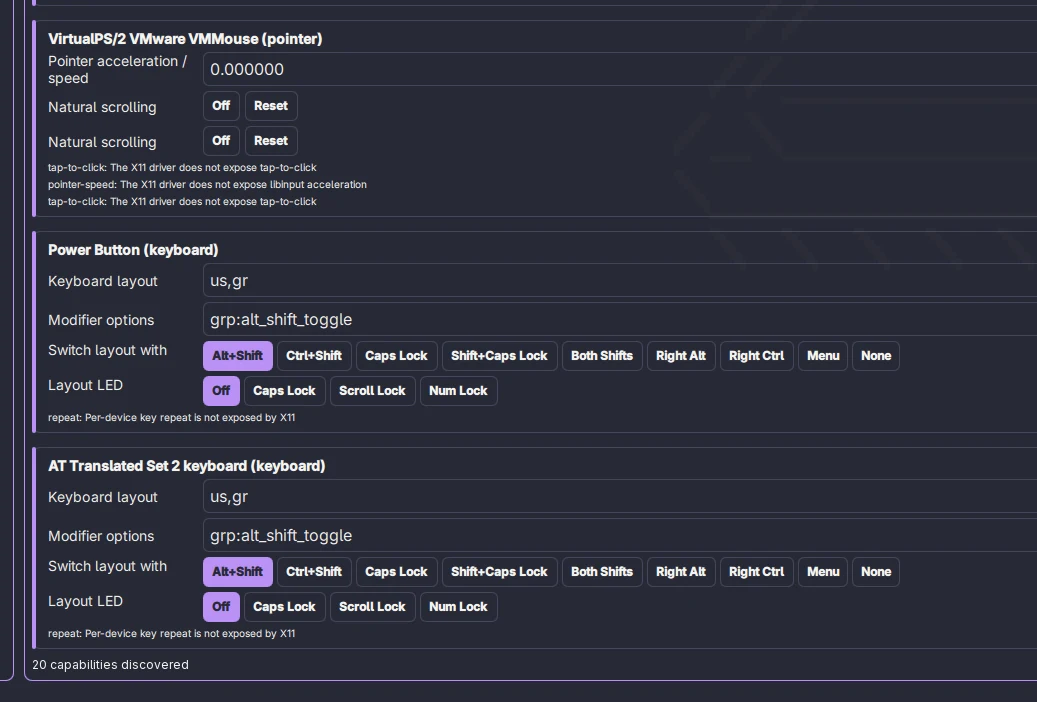
Before: the power button as a “keyboard”.
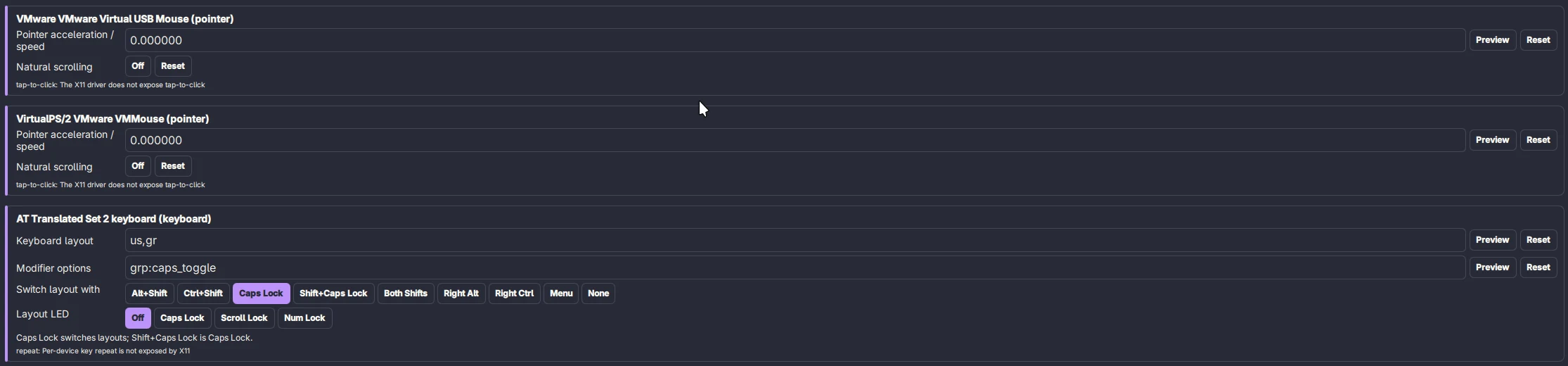
After: one card per device, and the new Switch layout with and Layout LED buttons.
How it was tested
All of it on the Fedora 44 virtual machine with dwm-titus 0.7.2, in a real session and with tests of their own on a private X display. The keyboard pill went US → GR → US with two layouts, and through DE and GR with three. dwm and the panel stayed at 0.0% CPU while idle. The virtual machine has no Wi-Fi hardware, so the hidden network was a simulated radio (the kernel's mac80211_hwsim) with a real access point program serving a hidden WPA2 network and a hidden open one, and both were joined through the new helper.
What I haven't tested: clicking the pill with a real mouse in the live session (the screenshots come from the same switch requests the pill sends), two physical keyboards, several monitors, and real laptop buttons for the Settings fix. The project's full test run stops at a failure that also happens on an untouched copy, so it wasn't a full pass.
Thanks to Chris Titus for dwm-titus, and to abdrezzakboumediene and gkap28 for issues clear enough to work from.
There's one more part to this, about skills that keep terminal assistants on the right files: Skills for dwm-titus.