 lefteros
LEFTEROS / PERSONAL NOTES
ShadowRealms AI 0.16 to 0.22: the chat gets a voice
17 October 2026 / Lefteris Iliadis / SomniusX
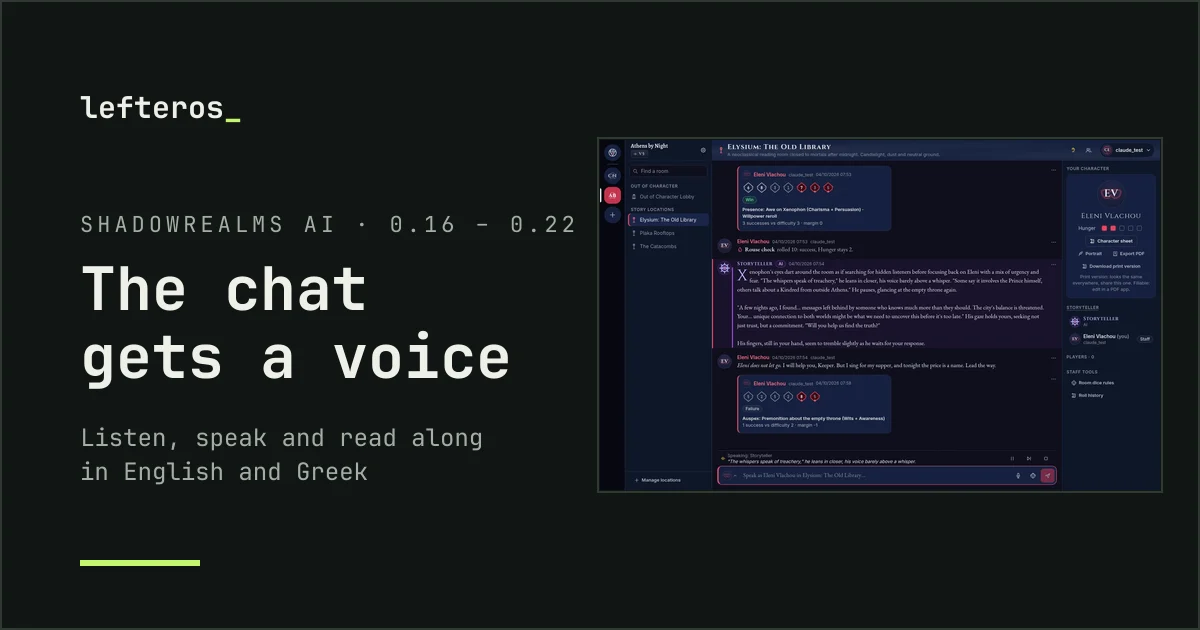
From the evening of 16 October to the morning of the 17th, ShadowRealms AI, my local AI Storyteller for World of Darkness chronicles, went from 0.15.0 to 0.22.1. Seven versions, and all of them about one thing: voice. You can now hear the chat, and you can speak your lines instead of typing them, in English or in Greek. The point was simple: a player with a phone in their hand, at the table or on the sofa, who hears the Storyteller and answers out loud.
Everything runs on the server that hosts the app: the voices are made by Piper (English) and Pocket TTS (Greek), the transcription by Whisper (large-v3-turbo) on the graphics card, and the translations by Llama-Krikri, which the app already uses for Greek. Nothing goes to a cloud service, unless a player picks their phone’s own voices or dictation, and then it’s the phone that handles it.
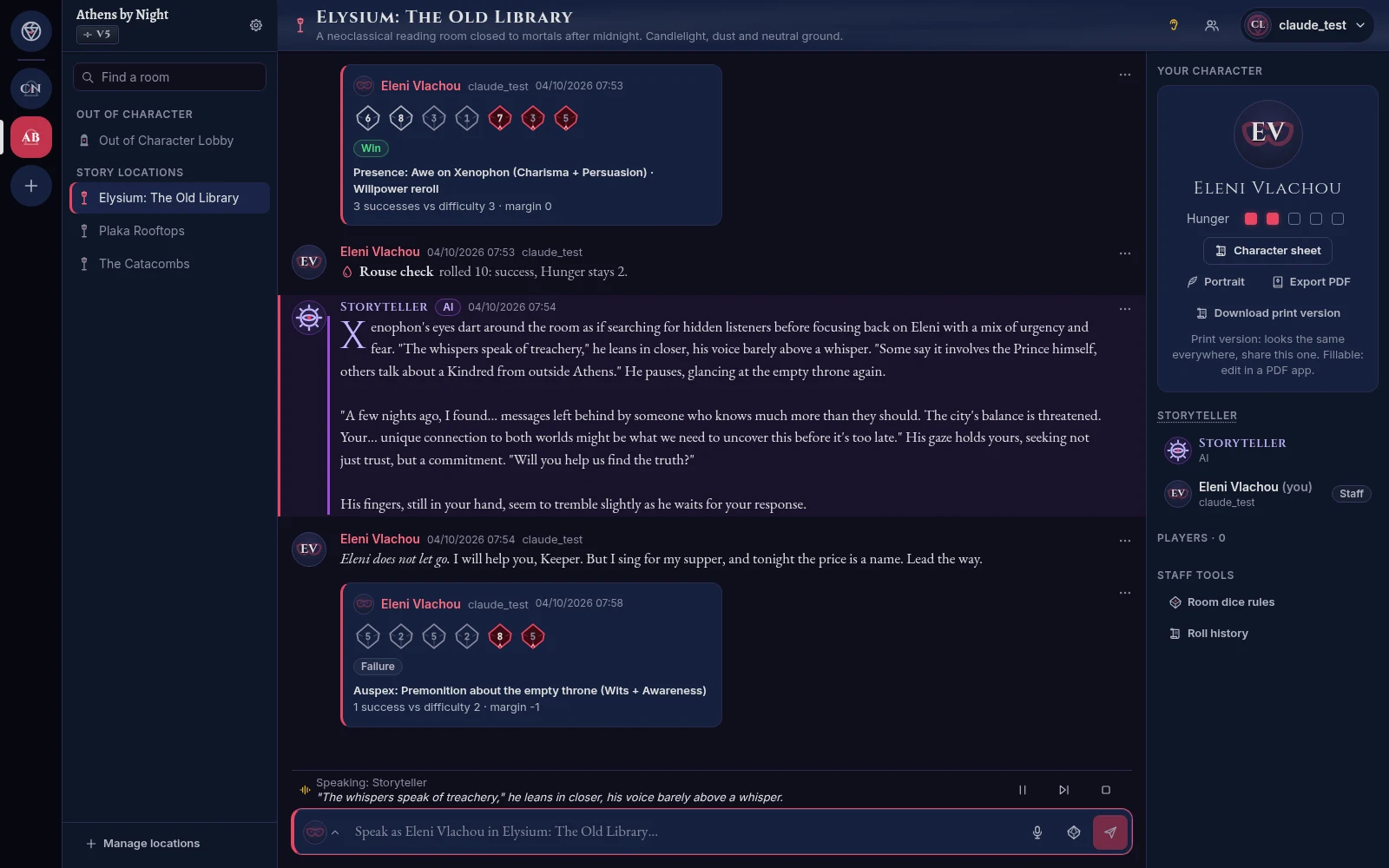
Listening in a room: the message being read is highlighted, and the sentence being said is shown in the bar above the message box.
Listening
There’s an ear in the room header. Turn it on, and new messages are read aloud as they arrive: the Storyteller, the other players, the dice. Your own lines are skipped.
- Voices by character. Every character now has a voice gender on its character sheet: female, male or neutral. A character speaks with a voice of its gender, and if it isn’t set, with the neutral voice, while the sheet reminds the player to set it. A player can also pick one specific voice for their character.
- A narrator per chronicle. When a chronicle is created, its Storyteller picks the narrator’s voice for American English, British English and Greek, with a button to hear it first. The narrator reads the Storyteller, the actions and the dice.
- The chronicle sets the defaults, the player decides. The chronicle’s creator chooses what’s read out by default (the Storyteller, in character, out of character, dice). Each player can turn any of these off for themselves, because not everyone wants to hear everything.
- Your own settings: the phone’s voices or the server’s, American or British accent, speed from 0.75× to 2×, and volume.
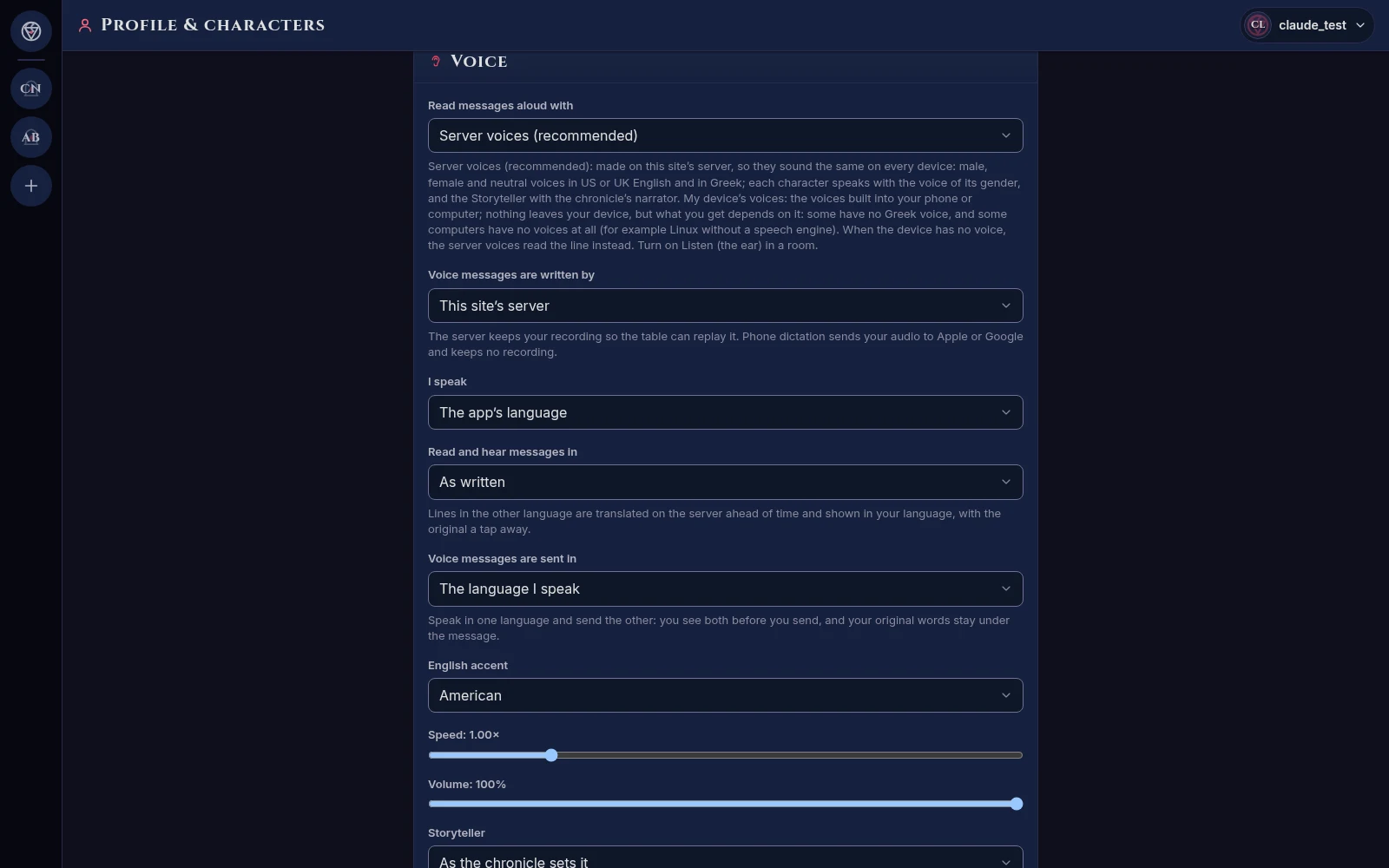
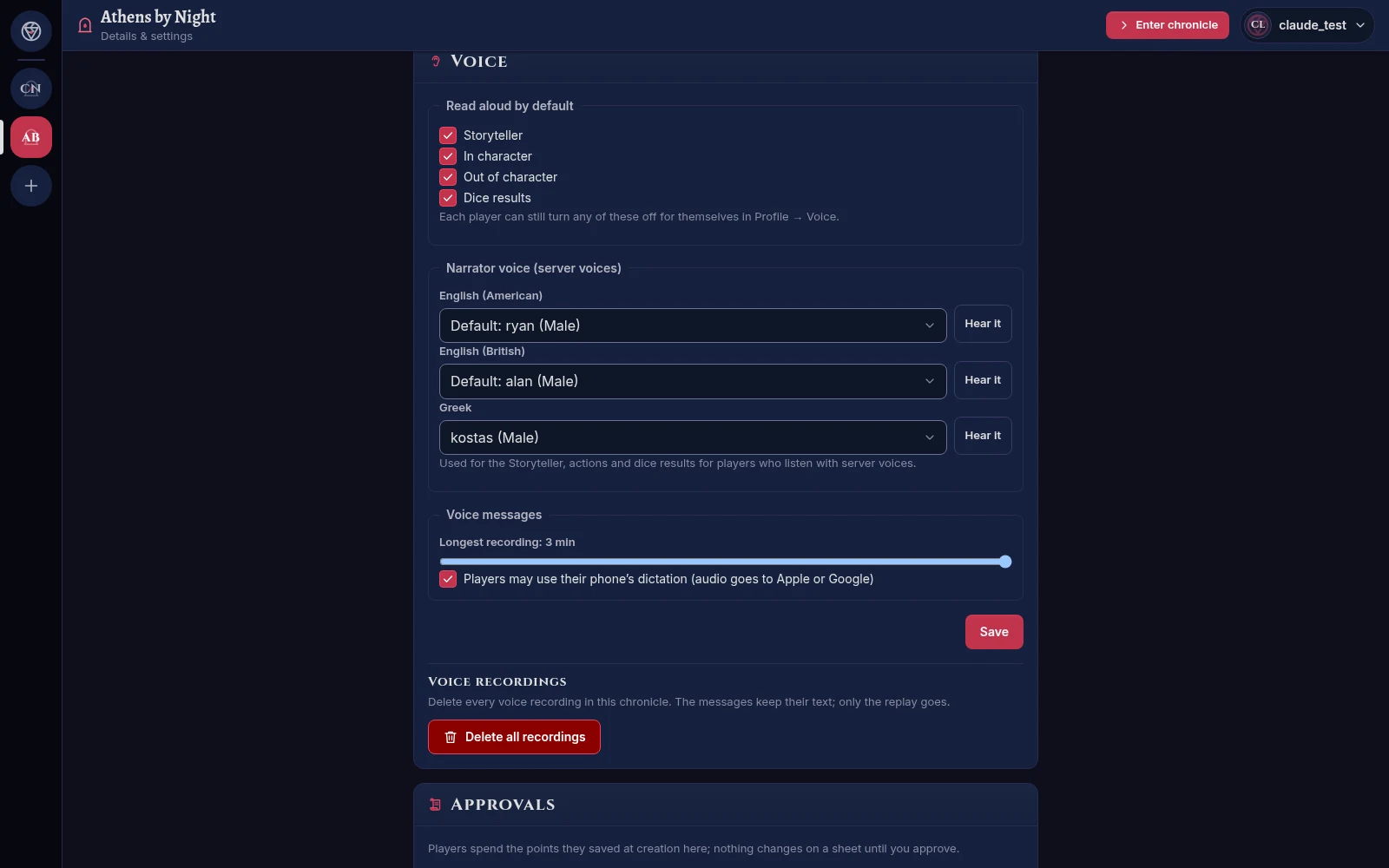
A player’s voice settings · a chronicle’s: what is read by default, the narrator voices, the longest recording.
The dice aren’t read off the card. They become one short sentence in the listener’s language: «Ρίψη Brawl, 7 ζάρια, 4 επιτυχίες, κρίσιμη επιτυχία», or “Roll: Intelligence plus Investigation, 7 dice, 1 Hunger”.
Read along
The last release, 0.22.0 “Read along”, came out of a phone test. A long Storyteller reply took a while to start, and you couldn’t tell what was being read. Now:
- Sentence by sentence. A line is spoken in chunks, and the next ones are made while the first plays, so a long reply starts after its first sentence (about three seconds).
- Highlight and follow. The message being read is marked, and the bar shows the sentence being said. The chat follows the reading; scroll by hand and it stops following, and a “Follow” button brings it back.
- Read this, read from here. A long press on a message on the phone, or the … menu on a computer, gives “Read this” and “Read from here”. These work even with listening off.
- Catching up. When you turn listening on, you choose: the last 3 messages, the last 10, from where you stopped, or none.

Read along: the bar follows the sentence being said (sped up).
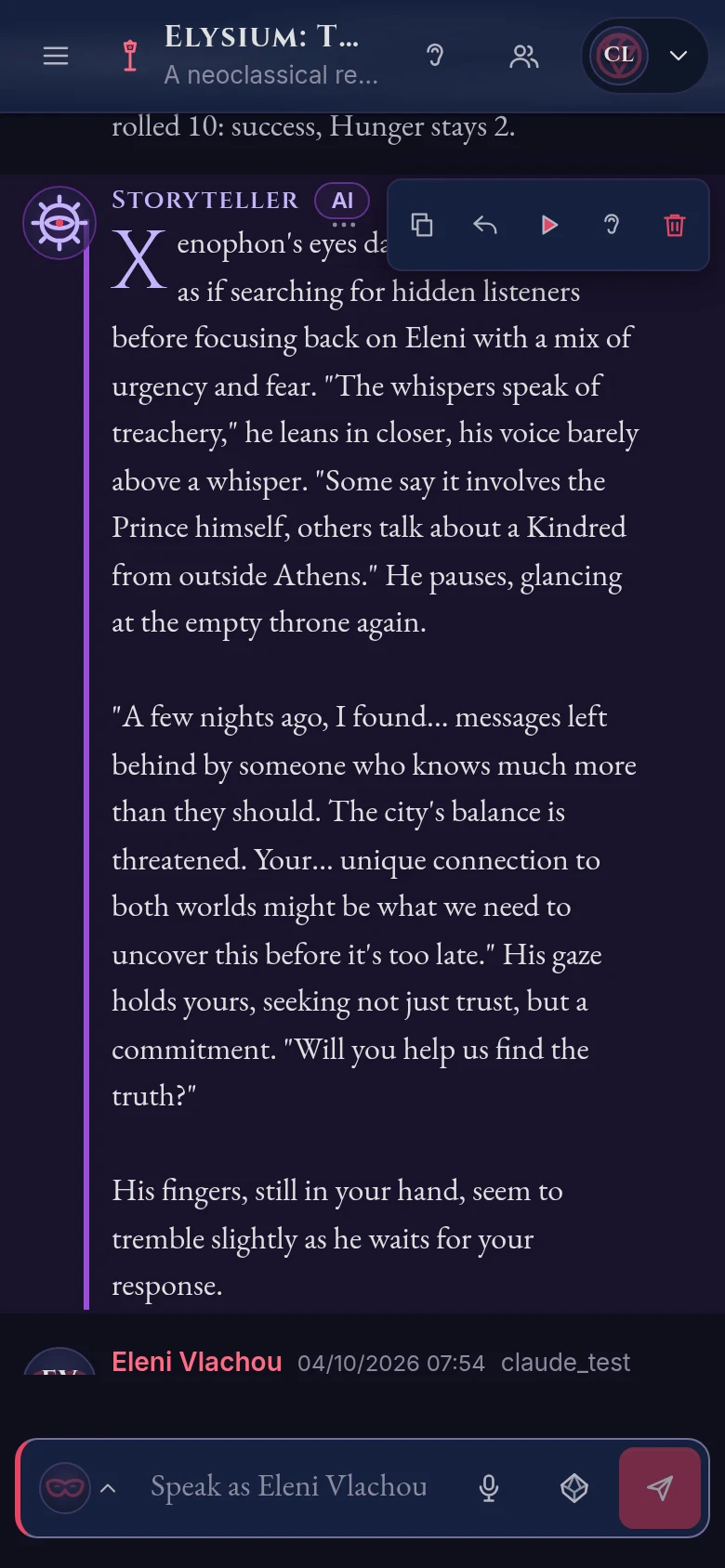
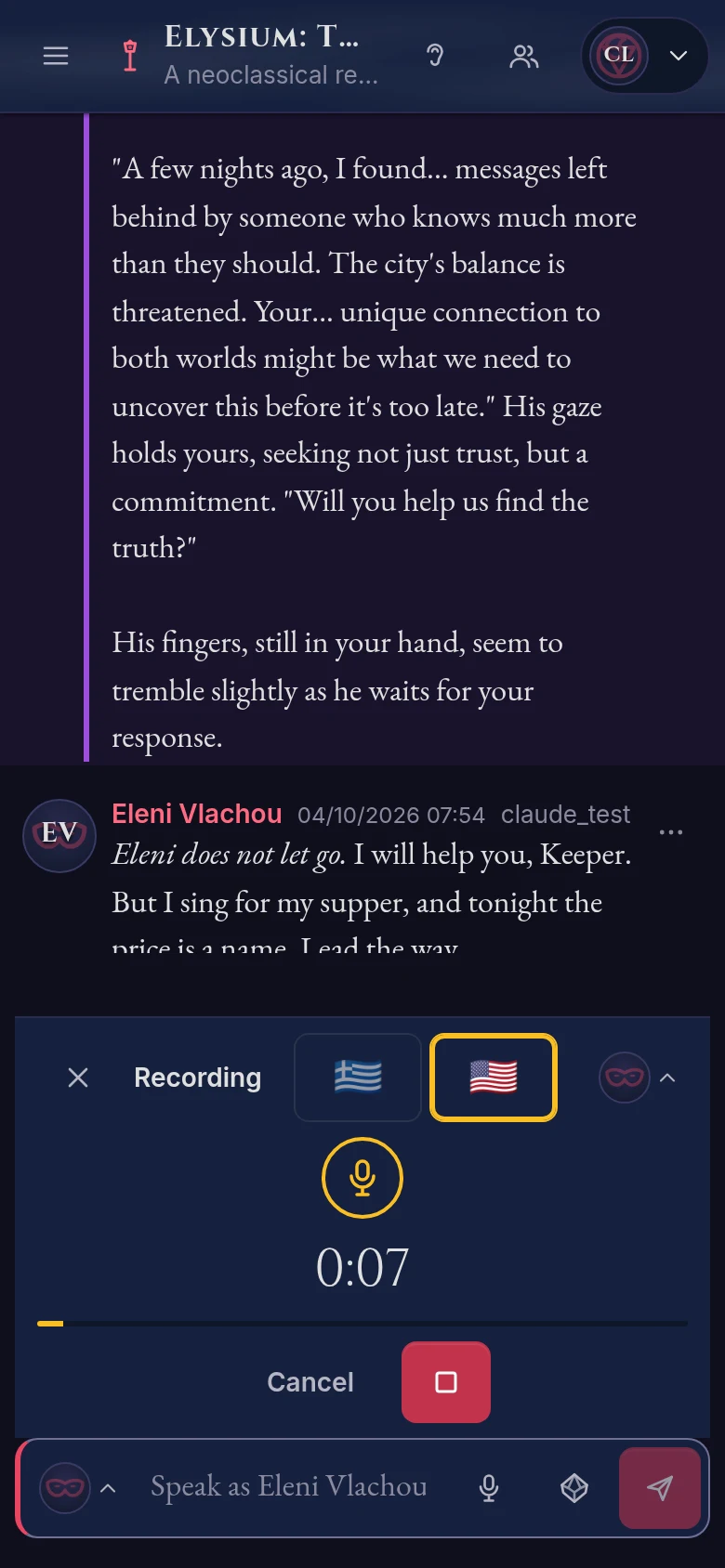
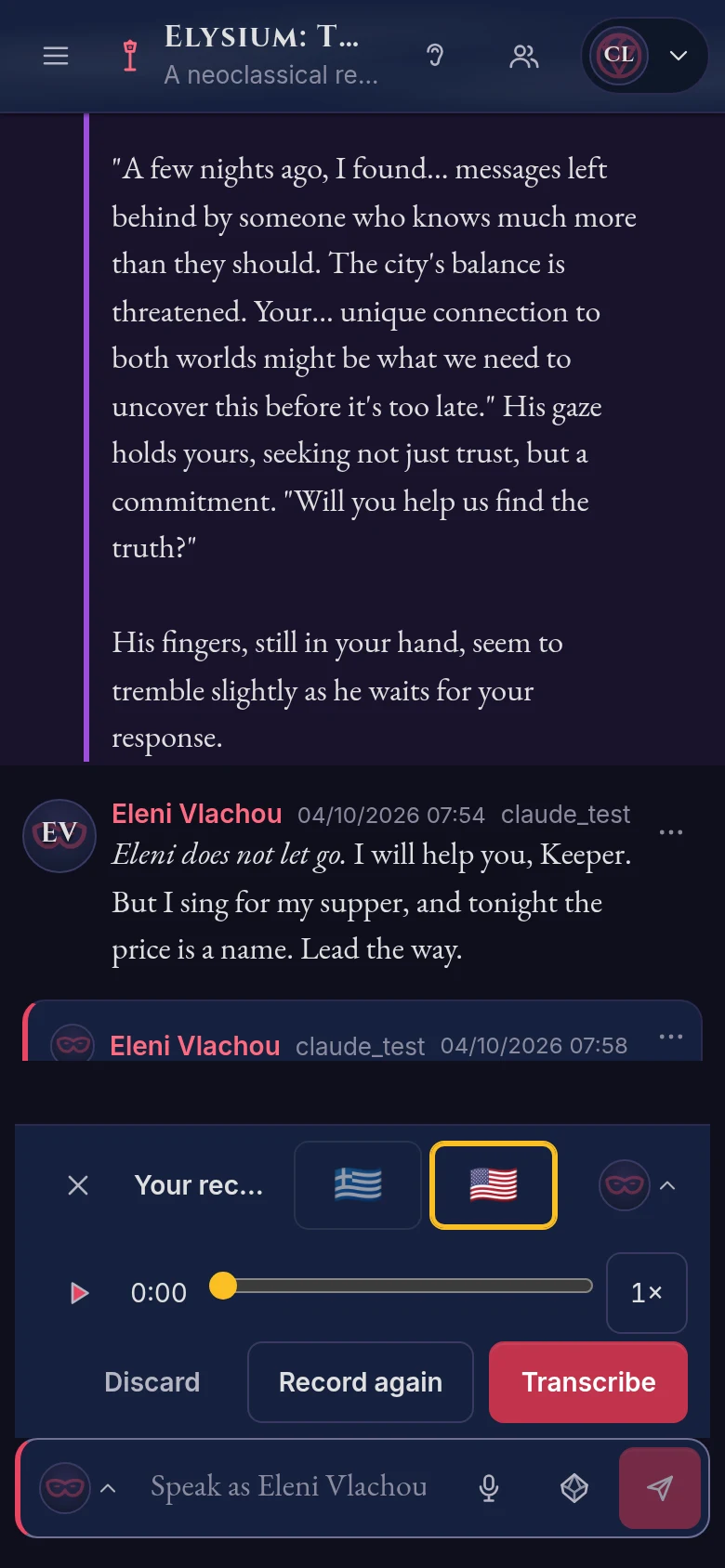
On a phone: a message’s menu, recording, and reviewing the recording before transcription.
Speaking
The mic in the message box opens the recorder in its place. A recording can be up to three minutes (each chronicle can set its own limit).
- The timer is large, and the ring around the button pulses every five seconds: gold at first, another colour after the first minute, and blood red after the second, getting brighter as you near the end.
- Before anything is sent, you listen to your recording, with a slider to move through it and a speed button from 0.75× to 2×. Nothing leaves the phone while you record or listen.
- The language you spoke, Greek 🇬🇷 or English (🇺🇸 or 🇬🇧, by your accent), is picked with a flag, so the transcription uses the right language.
- Then Transcribe, and the text comes back for you to check and fix. You send it as in character, as a quote (spoken dialogue), or out of character.
- On a computer you can hold Space to talk, and let go to review.
- Whoever prefers can use their phone’s own dictation instead.

Passing the first minute: the ring pulses and changes colour.
Voice messages carry a small mic that everyone sees, not only the Storyteller, and the recording plays from the chat. Recordings are kept for the chronicle’s lifetime, compressed small (Opus at 16 kbps, about 7 MB for an hour), and they go when the message or the chronicle is deleted. The Storyteller can delete all of a chronicle’s recordings at once.
The transcript check
Whisper hears Greek well, but not perfectly, and a World of Darkness chat is full of names, clans and the occasional swear word. So since 0.21.0 the transcript is checked before you see it:
- Whisper gets the chronicle’s names and a short glossary of game terms as a hint.
- Laya-words, a model I trained for RecMeets and published on Hugging Face, marks the words that were probably misheard.
- Llama-Krikri corrects only those words, and keeps the slang and the swearing as they are. That’s how «βλυχ άρα» becomes «βλαχάρα» again.
In your own language
Since 0.19.0 each player can choose to read and hear the chat in their own language. A message in the other language is translated as soon as it’s posted, it’s shown in your language, and the original sits right under it with a “Show original” button. The translator is Llama-Krikri with a glossary of game terms, and the chronicle’s names are kept out of the translation, so Ελένη stays Ελένη and Marcus stays Marcus.
It also works the other way round: you can speak Greek and send English. The recorder shows you both texts to check, the original stays with the message, and everyone can see it.
Small things
- 0.20.0: a “voice health” page for the admins (the voice service, its queues, the graphics card’s free memory, the disk used by recordings), and caps on the disk the voices and recordings can use.
- 0.21.1: the fillable PDF of the character sheet in Adobe Acrobat showed dots instead of letters when a field was redrawn. Fixed.
- 0.22.1: the English voices spelled Greek names letter by letter (“Kappa Omega…”). Now they say them the Greek way: Κωνσταντίνος comes out as “Konstantinos”. And on phones, the menu of a dice card no longer hides under the card’s name.
What’s still open
The real test is the table: phones in hand, with friends. Some things need real phones and real voices to tune, such as how strict the transcript check should be, and the long press on different phones. Cloud voices (for an even better Greek voice) aren’t in; the app runs only on its own voices for now.
Every change, one by one, is in the CHANGELOG, how the voice works is in docs/VOICE.md, and the app itself is on the ShadowRealms AI page.