 lefteros
LEFTEROS / PERSONAL NOTES
Windows VM for Omarchy: Windows on the bar
27 September 2026 / Lefteris Iliadis / SomniusX
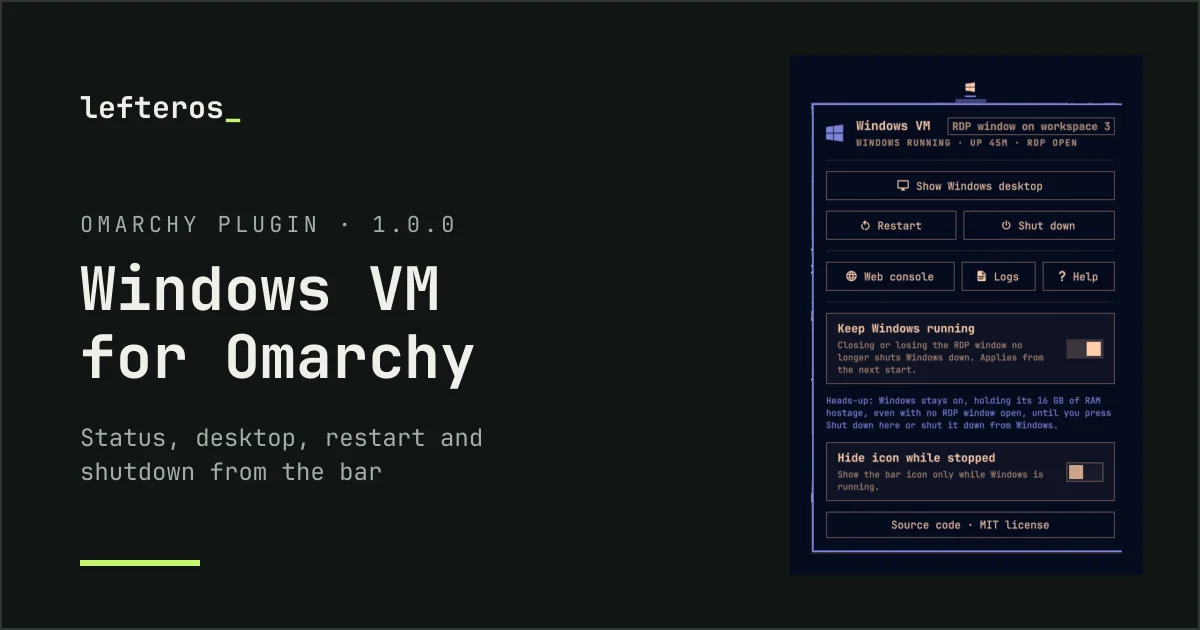
A new plugin for Omarchy: Windows VM for Omarchy. If you set up Omarchy’s Windows with omarchy-windows-vm install, you get a small Windows logo on the bar and a panel for everything else:
- At a glance: bright while Windows runs, dim when it is stopped, with the uptime on hover.
- One click to the desktop — it takes you to the open RDP window, connects, or starts Windows, whichever fits right now.
- Restart and shut down with a second confirming click.
- Keep Windows running when RDP closes, so your apps are waiting as you left them — with a reminder of the RAM that stays in use.
- A log for every start and connection, including why an RDP session dropped.
- A web console, the shared folder, help, and commands for Hyprland keybindings.
New in 1.1.0
A few hours after the first release came 1.1.0, with live figures and steadier RDP:
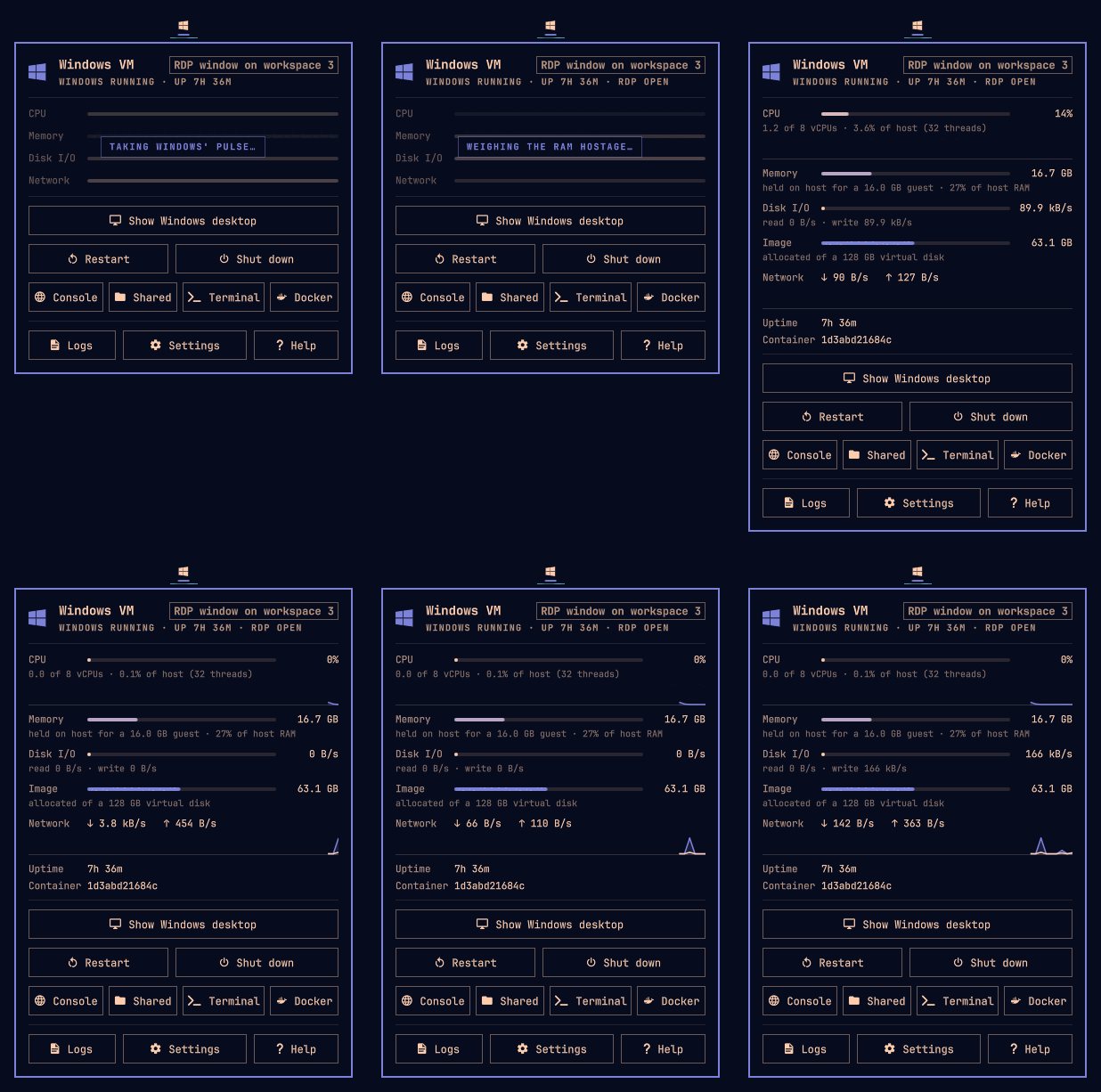
The panel opening: about a second of a waiting message, then the live figures.
- Live figures when you open the panel: CPU, memory, disk, network and uptime, with graphs for CPU and network. With the panel closed nothing is gathered — not even a Docker call.
- Connect without a password: when Windows is running, it opens RDP straight away with the credentials Omarchy saved, and the password never shows in the process list.
- Auto-reconnect: if the connection drops, the RDP window reconnects instead of closing.
- Safer restart and shutdown, failures that show at once, and new buttons for the shared folder, a terminal and lazydocker.
It needs no root and changes nothing in the VM’s setup. It is already available on the Omarchy plugin marketplace, or you can install it directly:
omarchy plugin add https://github.com/Somnius/Windows-VM-for-Omarchy.git --enable
Already installed? omarchy plugin update lef.windows-vm.
How it works inside — from measuring the VM’s resources without any privileges, to keeping the password off the command line — is on the Windows VM for Omarchy page, along with more screens.