 lefteros
LEFTEROS / PERSONAL ARCHIVE
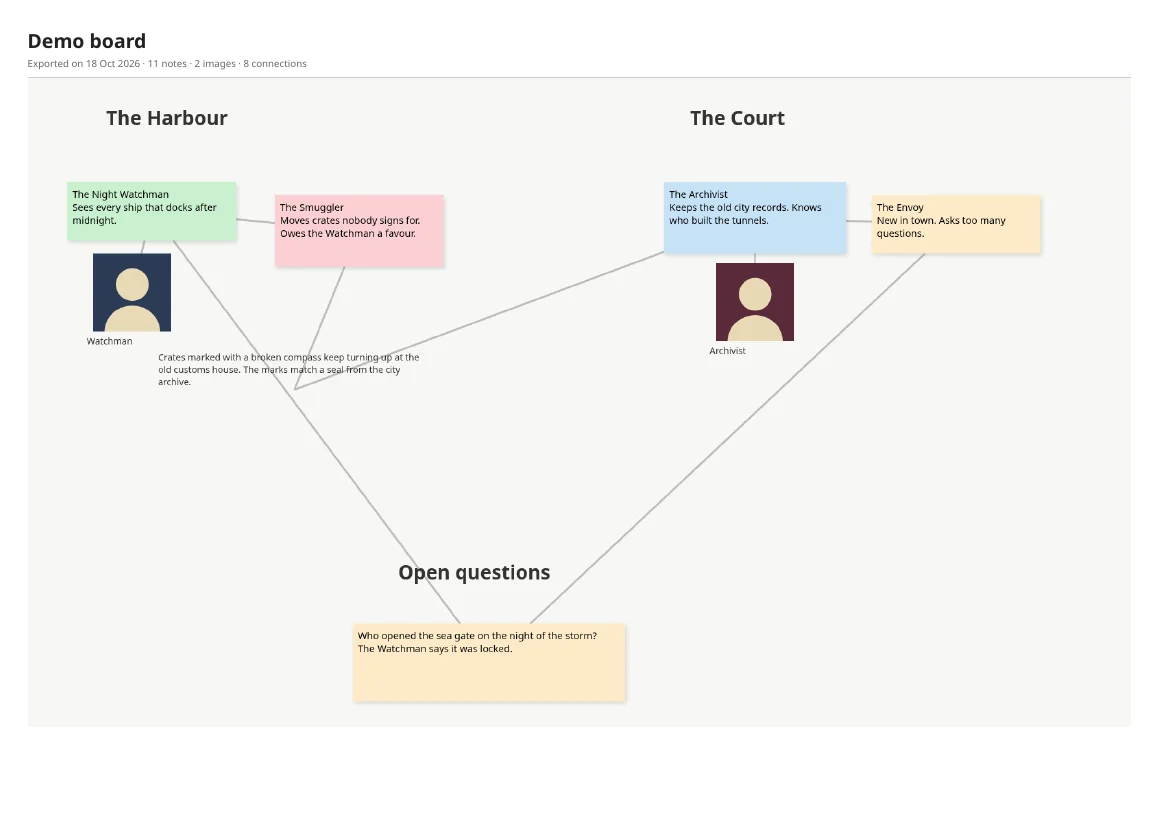
sticky-board-export — a Sticky Studio board in Obsidian and PDF
18 October 2026 / Lefteris Iliadis / SomniusX
sticky-board-export takes a whole Sticky Studio board, a collaborative sticky-note canvas, and gets it out of the browser: into an Obsidian vault, an Obsidian Canvas and a PDF. It is a single Python file, with nothing to install beyond Python itself.
I wrote it because a friend's board for our tabletop chronicle had grown over more than a year, and I wanted all of it somewhere I could read, search and print without touching the original.
The PDF's first page, from the demo board in the repository.
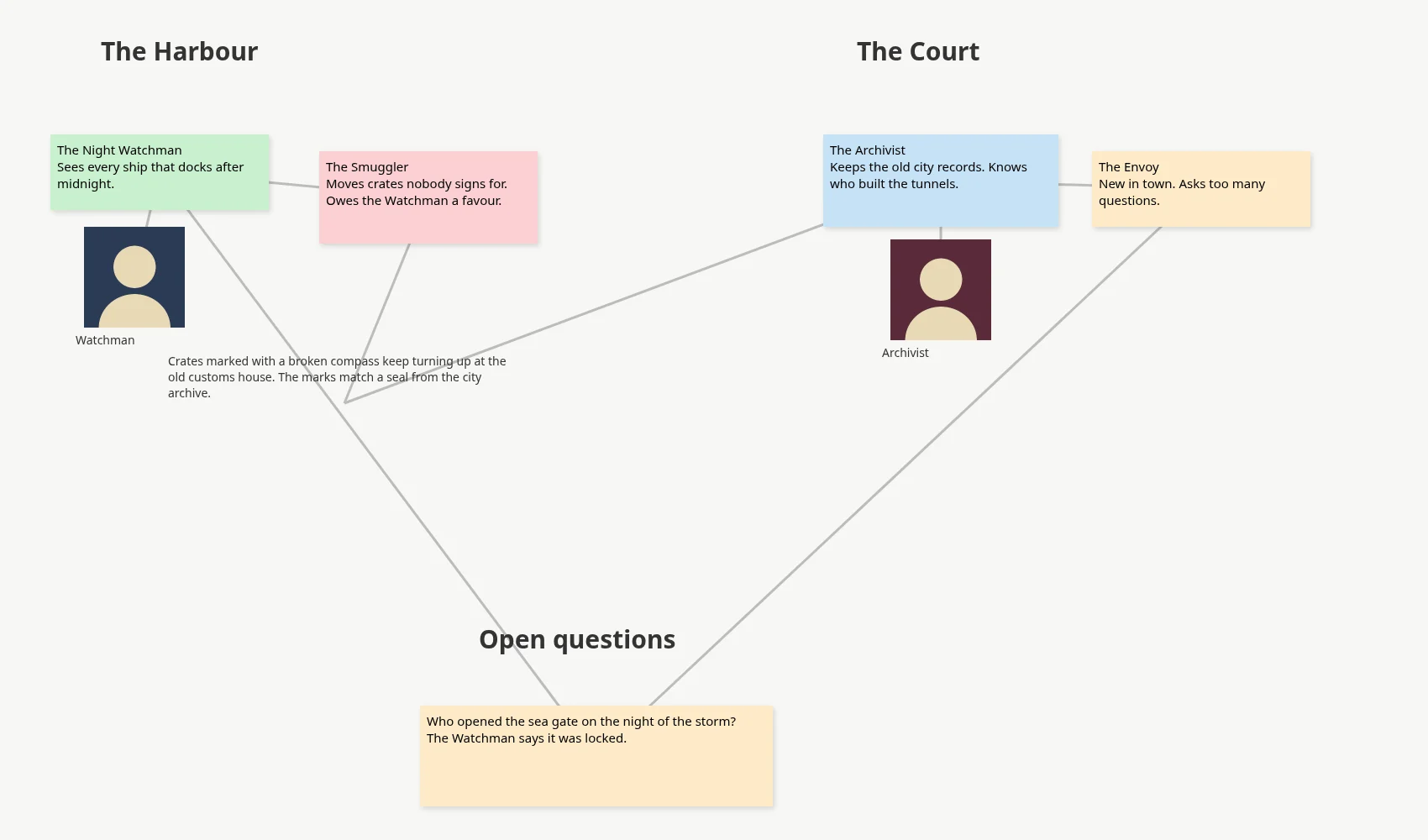
The demo board, before the export.
What you get
- Obsidian vault: an index with the board picture and every note grouped by section, and one note per sticky, text block and image. Each note keeps the full text, including the parts the board cuts off, its colour and section in the front matter, and its connections as Obsidian links, with arrows for the direction.
- Obsidian Canvas: the board as it is, with the same layout, colours and lines.
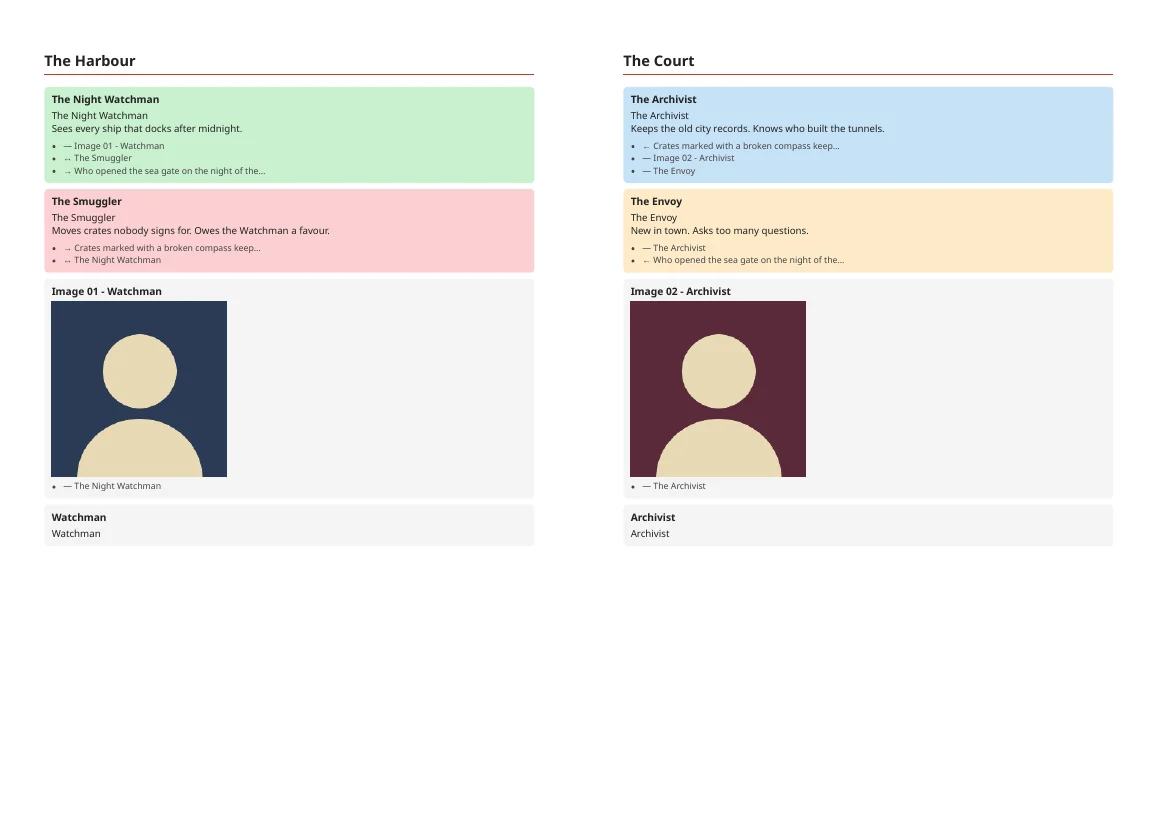
- PDF: the board picture on an A3 page, then every section on A4 with its notes as coloured cards, images and connections. The PDF is made with headless Chromium; without Chromium you get the HTML and print it from any browser.
Read-only
The script connects to nothing. It works on the board's JSON, which you save from the Network tab of the browser's developer tools, and it cannot change anything on the board. If the board has images, it can download them from the links in the JSON or use images you have already saved.
python3 sticky_export.py board.json --download-images --overview board.png --pdf
--overview is your own picture of the whole board, for the first page and the index. The repository also has a demo board in examples/, to try it on before running it on your own.
How it decides things
Note names come from the first line of each note. Sections are the board's titles and headings, and every other note goes under the heading nearest to it. That is a guess from positions, so a note between two groups can land in the wrong one. Deleted and empty notes are left out.
It needs Python 3.8 or newer. For the PDF, Chromium or Google Chrome.
Articles
- A whole board, out of the browser, 18 October 2026
Sources and date
Earliest commit reachable on the default branch: 2026-10-18.
The repository README has the steps for saving the JSON and all the options. License: MIT.