 lefteros
LEFTEROS / PERSONAL NOTES
iOS 5 Beta – what new I found to start with [update #4]
7 June 2011 / Lefteris Iliadis / SomniusX
Historical text from HellasProject (2009–2014). It is not current advice or a present-day service.
iOS 5 Beta
After live coverage of the WWDC from Milaraki.com with Suicico and Babz, and once Apple’s Developer Center took a breath from the stalls, I managed to download the first beta of iOS 5 and here are a few snapshots.
Note: at first launch this “Set up iPhone” slider is there and takes you to a screen where you choose what to do with the device, after you enter your Apple ID (iCloud, Find My iPhone, etc.). Unfortunately it did not keep the snapshots from that point in Camera Roll to show you.. (You will see them below in Update #1)
Enjoy the first 4; another post coming with more things I find. It is late now and I am out of time.
(click for larger)
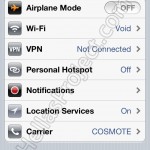
different On/Off sliders
Addition of iCloud and Twitter
iCloud and its sync settings
Twitter and its auth credentials; it suggests you download the official app if you do not have it
Update #1
(click for larger)
Settings for automatic download of Music, Apps, Books, etc. if they were bought (free/paid) from other devices or computers under the same Apple ID
Photo Stream, so photos you take also upload in order to iCloud.
YES YES YES it is a fact, along with iMessage settings (which does not exist yet as an app or service) they brought us… DELIVERY REPORTS!!!!!!
Private Browsing for Mobile Safari (how much longer will they rip Cydia hacks, tell me)
Alerts for invitations and adding them to the calendar without a computer
Software Update, and that Over the Air too. I do not know what impact it will have in the future, easy for some, very bad for others.. :S
Live view of iTunes Sync either by cable or Wi-Fi and of what is happening now. It also shows last-sync info afterwards, etc.
Update #2
Here are the first images as Set up iPhone starts, and Wi-Fi Sync at the end, which essentially sends Apps as OTA (Over The Air) onto the SpringBoard.
(click for larger)
First screen when iOS 5 starts for the first time
2nd screen asking if we want iCloud sync (there is also a screen asking for Apple ID before)
Here it asks IF we want Apple to watch us, no further comment
OTA (Over the Air) install of apps and iTunes sync; even the first sync happened while I could use the device just fine.
In Update #3 you will find commentary for each image and what it shows.
Share them everywhere folks, since I did this at dawn.


Update #4
+22 photos of findings from the new iOS 5 beta
The new Notification (yes, notifs folks) system, which is awesome!!!! (Note.. I have not found a way to turn off Push Notifications on iOS 5 beta.. I do not know how my battery will take that.. we will see, I will tell you after a few days of use)
New characters in hearts etc.; before it was simple white or black ASCII.
New keyboard shortcuts so you write less and get more, fast and easy!! like OMG
The LED flashes when you get a notification. I would call that a great Accessibility addition.
iCloud settings; this view shows available space and the option to buy more. Aha, that is how they will take our euros.
S/MIME in Mail; I do not know if it is new..
Custom Vibrations, well.. an option for how the phone vibrates.. figure it out!
New colors in SMS, the Send button, and slightly the bubbles.
The new Todo/Reminders that had been missing since 2007 and direct sync with Outlook and new Reminders in Lion.
The new Newsstand which does not work yet. Well.. so far folks it is the only app I CANNOT put in a folder. It seems to be a folder itself, and if I remember right it shows magazine subscriptions. The effect when you touch it is like a folder, so..
New “Options” in Camera; we can now enable a grid for more correct photos, and below the known HDR which it shows when active in small letters at the bottom of the screen..
AT LAST, new options in Mail so you can mark one or more emails as read or flag them as spam. And it works fine on the current “first” beta.
The Calendar addition with the ability to create our own calendars without iCal or Outlook.
In general Apple is trying to make iOS relatively independent, as it also says in a video on its pages showing an iPhone / iPad activating on its own, and with Calendars, Reminders, etc. someone can simply never connect it to a computer, a known phenomenon until today.
That is a lot for now. I hope the all-nighter was worth it for you folks.
Enjoy.
20 comments on the original.